




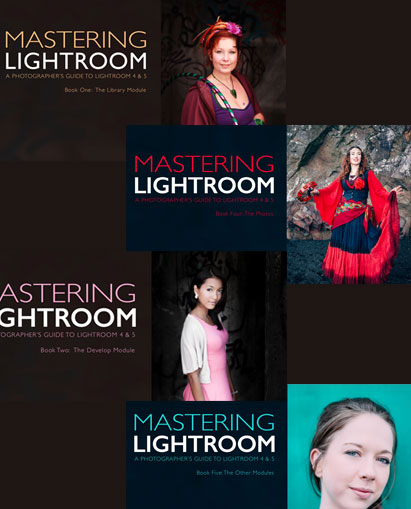



Never considered Mastering Lightroom? After reading this, you might convert.
 Because from first import to final edit, LR simplifies. Unlike Bridge and Photoshop, all the organizing and editing stays in one program. Considering all the RAW files you capture, nothing could help you more immediately than learning how to use it.
That’s why I wanted to share Gibson’s Mastering Lightroom ebooks. Before them, I would’ve never argued that LR is better than Photoshop. Never. Yet here I am saying it (disclaimer: Every photographer’s needs are different, but for many I think LR can be a better option than Photoshop). Because after reading them, I can confidently say that Lightroom makes your life easier.
Lightroom was designed for photographers. Not graphic designers, illustrators, or professional retouchers. Photographers. That means the tools you get are meticulously designed to operate in a way that helps you the most. No more going from Bridge to Photoshop, and back again.
So if you’ve ever wanted to switch, these ebooks will make the transition as easy as possible. You’ll learn how to expertly navigate between Lightroom’s Library and Development Modules to organize and edit faster than what’s possible with Photoshop — without any losses in editing power.
With them, Lightroom should become your most-used application for processing RAW files. If you already have the program, why not give it a proper chance? These ebooks were written so you could get started immediately. So what’s there to lose?
What’s in this bundle? Why should I buy it?
 Book One
You’re going to get two ebooks – 319 pages – about mastering Lightroom. In Book One, you’ll learn how Lightroom works then understand how you can use its Library Module to organize and search your images on import.
You’ll learn the very first steps and learn how each interface works. The left hand panels, the right hand ones, the film strip, the navigator, the whole thing. Everything Gibson uses himself, he’ll discuss in great detail to make sure you understand every tool behind his edit.
 Book Two
In this book, you’ll learn how to use each tool in Lightroom’s Develop Module to get the most out of your RAW files. From the global adjustments found in the Basic Panel to the local adjustments made from your filters. You’ll learn techniques to improve, edit, and crop your photos as you see fit. And besides compositing and using layers, you’ll have the same powers as you had in Photoshop.
So whether you’re new to LR, or already have some working knowledge, after this book, you’ll appreciate it at its full power. You’ll learn how to import and export your photos, how to use the Adjustment Brush for dodging and burning, and even learn how to retouch portraits without any plug-ins – just to name a few lessons.
If you’ve ever been curious about Lightroom at all, now’s the time to learn. With these two ebooks, you’ll learn a better method to organizing and editing your photos. If you’re ready to change, then it’s time to master Lightroom.
 Book Three
If you enjoy black-and-white photography, this book is for you. In this one, you’ll learn how to shoot with a black-and-white conversion in mind, then learn how to covert using Lightroom. After 183 pages, you’ll understand the full extent of Lightroom’s black-and-white capabilities.
 Book Four
10 case studies. 10 editing breakdowns. In this ebook, you’ll go step-by-step with Gibson as he re-edits 10 of his favorite images. You’ll learn the exact steps he used, but you’ll also see several equally impressive versions worked from the start. In these alternatives, you’ll learn different steps to achieving the same visual pull.
So if you’ve ever been curious about Lightroom at all, now’s the time to learn. With these 4 ebooks, you’ll learn a better method to organizing and editing your photos. If you’re ready to change, then it’s time to master Lightroom.

To summarize:
- 319 easy to understand pages about mastering Lightroom
- Book 1 deals with the Library Module and getting starting
- Book 2 deals with the Develop Module and editing your photos
- Altogether, you’ll learn the techniques, strategies, and tips to using Lightroom at its full potential

Reviews
There are no reviews yet.