







[vc_row font_color=”#ffffff” css=”.vc_custom_1484115404606{padding-top: 3% !important;padding-right: 10% !important;padding-bottom: 3% !important;padding-left: 10% !important;background-color: #000000 !important;background-position: center !important;background-repeat: no-repeat !important;background-size: cover !important;}” background_style=”parallax”][vc_column font_color=”#ffffff” css=”.vc_custom_1414497512096{padding-right: 0px !important;padding-left: 0px !important;}”][vc_column_text css=”.vc_custom_1486096729414{margin-bottom: 0px !important;}”]
This User-Friendly Photo Watermark Software Will Help Make Sharing
Your Photos Less Worrisome
[/vc_column_text][/vc_column][/vc_row][vc_row font_color=”#000000″ css=”.vc_custom_1484118049025{padding-top: 4% !important;}”][vc_column][vc_single_image image=”390408″ alignment=”center”][vc_column_text css=”.vc_custom_1486096804482{padding-top: 3% !important;padding-right: 12% !important;padding-left: 12% !important;}”]Answer honestly. Are you prepared for the moment when one of your photos goes viral? How sure are you that everybody in the world will know that your photo is yours?
Having a simple photo watermark — even a transparent one, one barely even visible — will help you protect your intellectual property. Besides, even a little effort spent protecting your copyright is better than nothing. If you’re ready to put a little effort, Aoao Photo Watermark software is for you[/vc_column_text][/vc_column][/vc_row][vc_row][vc_column][vc_single_image image=”390409″ alignment=”center” css=”.vc_custom_1486096650219{padding-top: 3% !important;padding-bottom: 3% !important;}”][vc_column_text css=”.vc_custom_1484116028732{padding-top: 3% !important;padding-right: 12% !important;padding-bottom: 5% !important;padding-left: 12% !important;}”]It’s an easy-to-use program that helps you create a unique and professional signature that stamps onto your photos quickly and without fuss. It’s an effective way to help protect your photos from being shared without proper credit.
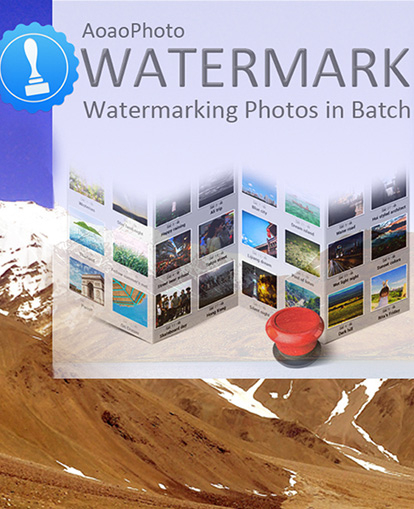
You’ll be able to create visible or transparent images, frames, or text that’ll let everybody know that your photo is yours. You’ll also be able to watermark in batches — a task of 300 photos will take less than 60 seconds — and you’ll have full control over placement and size.
Aoao Photo Watermark has been downloaded around the world and even got a 4.5 star rating on CNET. It’s a painless and efficient way to watermark. And right now, you’ll get a lifetime license for $14.99 (that’s nearly 50% off)![/vc_column_text][vc_single_image image=”390410″ alignment=”center” css=”.vc_custom_1486096627297{padding-top: 3% !important;padding-bottom: 3% !important;}”][/vc_column][/vc_row][vc_row font_color=”#ffffff” css=”.vc_custom_1474977590619{padding-bottom: 8% !important;background-color: #020202 !important;background-position: center !important;background-repeat: no-repeat !important;background-size: cover !important;}” background_style=”normal”][vc_column css=”.vc_custom_1440461247801{padding-top: 10% !important;}”][vc_column_text css=”.vc_custom_1486096827856{margin-bottom: 0px !important;padding-top: 1% !important;padding-right: 10% !important;padding-bottom: 5% !important;padding-left: 10% !important;}”]
So What Does AOAO Photo WaterMark Software Do Again?
[/vc_column_text][vc_row_inner][vc_column_inner width=”1/2″][vc_single_image image=”390422″ alignment=”center”][/vc_column_inner][vc_column_inner width=”1/2″][vc_column_text css=”.vc_custom_1484118281717{padding-top: 3% !important;padding-right: 10% !important;padding-left: 5% !important;}”]It is an easy-to-use Windows program that helps you design and stamp a unique signature to all your photos. It also comes with some really cool features:
- Lifetime license: buy it once and you’ll get all future updates for free
- Free technical support: 24/7 email support for any questions related to the product
- Photo editor: you’ll be able to resize, crop, and then convert your images to popular formats like JPG, BMP, GIF, TGA
- PLEASE NOTE: This photo watermark product will work only on a Windows PC
[/vc_column_text][/vc_column_inner][/vc_row_inner][/vc_column][/vc_row][vc_row font_color=”” css=”.vc_custom_1440465985813{padding-top: 10% !important;padding-bottom: 10% !important;background-color: #f7f7f9 !important;}”][vc_column][vc_column_text]
Protecting your copyright is better than nothing
[/vc_column_text][vc_column_text][add_to_cart_or_expire_btn][/vc_column_text][/vc_column][/vc_row]

Jerome Anaya –
Haven’t had a chance to fully put the software through it’s paces. Seems quick and easy enough to use. Want to commend support for resolving my license code issue quickly.
Megha Kendre –
Jerome, Good to know that 🙂 We are always here to help you with your issues.
Jerome Anaya –
cannot give a review until activation/registration is resolved.
Roy –
Nice program!
I like the batch process feature.
Megha Kendre –
Thats nice. Great to know 🙂