







[vc_row font_color=”#ffffff” css=”.vc_custom_1473402011774{padding-top: 17% !important;padding-right: 10% !important;padding-bottom: 17% !important;padding-left: 10% !important;background: rgba(0,0,0,0.49) url(https://abz.photowhoa.com/wp-content/uploads/2016/09/slider-black-bg-1.jpg?id=377019) !important;background-position: center !important;background-repeat: no-repeat !important;background-size: cover !important;*background-color: rgb(0,0,0) !important;}” background_style=”parallax”][vc_column font_color=”#ffffff” css=”.vc_custom_1414497512096{padding-right: 0px !important;padding-left: 0px !important;}”][vc_row_inner][vc_column_inner][vc_column_text css=”.vc_custom_1472967767353{margin-bottom: 0px !important;}”]
Achieve pixel perfect beauty photos.
Magazine quality beauty retouching made simple.
[/vc_column_text][/vc_column_inner][/vc_row_inner][/vc_column][/vc_row][vc_row type=”boxed” font_color=”#000000″ columns_height=”adjust_cols_height” css=”.vc_custom_1472985407213{background-position: center !important;background-repeat: no-repeat !important;background-size: cover !important;}” background_style=”normal”][vc_column css=”.vc_custom_1445201253043{padding-top: 10% !important;padding-right: 15% !important;padding-left: 15% !important;}”][vc_column_text css=”.vc_custom_1473835836225{margin-bottom: 0px !important;padding-top: 5% !important;padding-right: 10% !important;padding-bottom: 5% !important;padding-left: 10% !important;}”]
Damn, how did he get the skin looking so flawless?!
When I was a beginning beauty photographer, I always wondered how the top retouchers got smooth, pixel perfect skin without losing the skin texture.
Turns out the secret was a technique called “frequency separation” — an advanced method of smoothing skin without destroying the skin texture.
If you’ve heard of this before, you’ll know the technique is actually pretty hard to do. You need to follow several steps to make it work, and they’re not easy to remember.
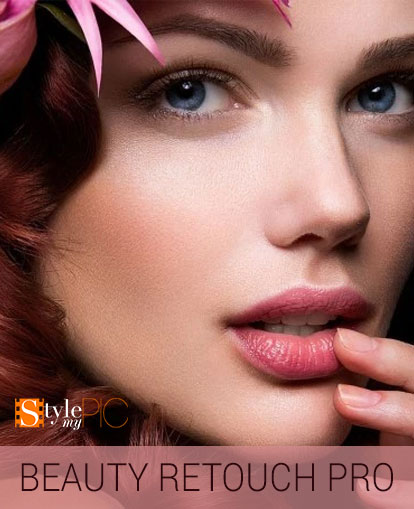
Beauty Retouch Pro makes it super simple. It packs the entire frequency separation technique into a single Photoshop action, then instructs you on how to make it work using dialog boxes.[/vc_column_text][/vc_column][/vc_row][vc_row font_color=”#ffffff” css=”.vc_custom_1472992515916{background-color: #0c0c0c !important;}”][vc_column][vc_row_inner][vc_column_inner width=”1/2″][vc_single_image image=”376529″][/vc_column_inner][vc_column_inner width=”1/2″][vc_column_text css=”.vc_custom_1473402322688{padding-top: 11% !important;padding-right: 5% !important;padding-bottom: 5% !important;padding-left: 5% !important;}”]
Pro beauty retouching for anyone — Beauty Retouch Pro makes it quick & simple
Beauty Retouch Pro is your one-stop solution for a number of beauty retouching tasks that took hours before, but now will take only minutes.
For example you can:
- Add different eyeshadow colors to your model.
- Remove blotchiness from skin without losing skin texture.
- Change your model’s hair color.
- Add different foundation color to her skin — like bronzer or lightener.
- Remove dark circles from under eyes.
- Whiten teeth or eyes.
Don’t worry if the makeup is a little bit off in certain places.
Don’t worry if your model didn’t brush her teeth very well (or smokes).
Don’t worry if your model has tons of facial blemishes.
Don’t worry if your model looks like she just partied the whole night away and didn’t get any sleep.
Using Beauty Retouch Pro is like having the best makeup artist in the world right inside Photoshop.
Now that’s powerful.[/vc_column_text][/vc_column_inner][/vc_row_inner][/vc_column][/vc_row][vc_row type=”boxed” font_color=”#000000″ css=”.vc_custom_1472988608448{background-color: #ffffff !important;background-position: center !important;background-repeat: no-repeat !important;background-size: cover !important;}” background_style=”normal”][vc_column][vc_video link=”https://www.youtube.com/watch?v=T7Mq2fuyLDI” align=”center” css=”.vc_custom_1472988666829{padding-top: 5% !important;}”][vc_row_inner][vc_column_inner][vc_single_image image=”376539″ alignment=”center” css=”.vc_custom_1472991647199{padding-top: 5% !important;background-color: rgba(0,0,0,0.01) !important;*background-color: rgb(0,0,0) !important;}”][/vc_column_inner][/vc_row_inner][/vc_column][/vc_row][vc_row][vc_column][vc_column_text css=”.vc_custom_1445202088054{padding-top: 10% !important;}”]
What’s inside this bundle?
[/vc_column_text][vc_row_inner type=”boxed”][vc_column_inner width=”1/3″][vc_column_text]SKIN RETOUCH
SKIN | Airbrush Pro (Full Length)
SKIN | Airbrush Pro (Mid Length)
SKIN | Airbrush Pro (Close Up)
SKIN | Veins/Wrinkles Remover
SKIN | Dark Circle Remover
SKIN | Shine Reducer
SKIN | Tone Neutralizer
SKIN | Creamy Foundation
SKIN | Bronzer Spray
SKIN | White Powder Mask
SKIN | Cheek Blush (Shade Palette)[/vc_column_text][/vc_column_inner][vc_column_inner width=”1/3″][vc_column_text]EYE ENHANCERS
EYES | Whiten Eyes
EYES | Iris Sparkle
EYES | Iris Color (Shade Palette)
EYES | Mascara Eyelashes
EYES | Smokey Eyes
EYES | Eye Liner
EYES | Eye Shadow (Color Palette)[/vc_column_text][/vc_column_inner][vc_column_inner width=”1/3″][vc_column_text]MOUTH MAKEUP
MOUTH | Whiten Teeth
MOUTH | Lip Gloss
MOUTH | Lipstick (Shade Palette)
HAIR SALON
HAIR | Silk n Shine
HAIR | Strand Lightener
HAIR | Highlights Booster
HAIR | Color (Shade Palette)[/vc_column_text][/vc_column_inner][/vc_row_inner][vc_column_text css=”.vc_custom_1473402423490{padding-top: 20px !important;padding-right: 15% !important;padding-bottom: 20px !important;padding-left: 15% !important;}”]
Technical Specifications
[/vc_column_text][vc_column_text css=”.vc_custom_1472992698251{padding-right: 15% !important;padding-bottom: 3% !important;padding-left: 15% !important;}”]
- Requires English versions of Adobe® Photoshop® CS2-CS6, CC, CC2014 or CC2015.
- Compatible with English versions of Adobe® Photoshop® Elements® 11-14.
- All actions are designed to work in 8bit RGB mode. Many work in 16bit mode.
- Runs on both 32bits or 64bits Windows and Mac.
- Installation PDF guides are included as standard documentation with all SMP products.
[/vc_column_text][/vc_column][/vc_row][vc_row font_color=”” css=”.vc_custom_1440465985813{padding-top: 10% !important;padding-bottom: 10% !important;background-color: #f7f7f9 !important;}”][vc_column][vc_column_text]
Ready to start retouching like the pros?
Get the entire Style My Pic Beauty Retouch Pro bundle, and start creating amazing beauty photography.
[/vc_column_text][vc_column_text]
[/vc_column_text][/vc_column][/vc_row]

A.M. –
An extensive set. One of the best action tool sets for retouching I have used. Great work.
Mike –
Great set of actions. Makes retouching quicker and easier.
James –
very nice, pleasing result and not too hard to use