Make Your Portraits Pop With Dazzling Bokeh Effect Overlay
Magical Bokeh Overlays
Dreamy Bokeh Overlays
Multicolor Bokeh Overlays
Creamy Bokeh Overlays
Heart Bokeh Overlays
Hazy Bokeh Overlays
Categories Included In The Bundle
• Magical Bokeh Overlays
• Dreamy Bokeh Overlays
• Multicolor Bokeh Overlays
• Creamy Bokeh Overlays
• Heart Bokeh Overlays
• Hazy Bokeh Overlays
Amazing Features Of The Bundle
• 80 Different Types of Bokeh Overlays
• Works with Photoshop, Luminar, Affinity Photo
• Windows & Mac Compatible
• Easy Instructions
• Instant Digital Download
Elevate Your Images And Let Them Shine!
There’s just something magical about bokeh. Those soft, glowing orbs of light add an artistic, cinematic flair that instantly takes a good photo of something beautiful.
It doesn’t matter if you’re photographing portraits, wedding moments, or creative compositions; merely adding some bokeh can take your picture from ordinary to extraordinary.
However, by nature, achieving that perfect bokeh effect can be difficult. The appropriate lens, beautiful light, and settings must be just right to achieve your imagined effect.
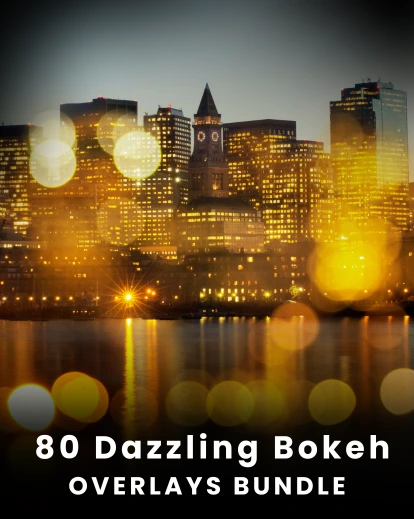
This is why the 80 Dazzling Bokeh Effect Overlay Bundle would create an easy solution for adding gorgeous, glowing bokeh effects to any image with just a click of a button!
You don’t need anything but your computer. Just drag, drop, blend, and voila – you’re there!
Bokeh is an effect that serves more than just a background purpose. It’s a mechanism to create emotion, depth, and artistic beauty in your photos. With this bundle, you receive a complete collection of cinematic light effects that reveal the magic in every photo.
Why Choose This Bundle?
• Instant Magic – No expensive lenses or special lighting needed. Just one click for stunning bokeh effects.
• Perfect for Any Photo – Works beautifully with portraits, wedding photography, creative edits, and product photography.
• Endless Creative Possibilities – Various options from soft, dreamy bokeh, dramatic light flares, or colorful glowing effects.
• Easy to Use – Drag and drop into Photoshop (or any editing software that supports overlays), adjust the blending mode, and you're done!
• Professional-Quality Effects – Designed to mimic real bokeh captured with high-end camera lenses.
Frequently Asked Questions
How many overlays are included in this bundle?
This bundle includes 80 high-quality bokeh overlays featuring magical, dreamy, multicolor, creamy, heart-shaped, and hazy bokeh effects.
What software can I use these bokeh overlays with?
These overlays are compatible with Photoshop, Luminar, Affinity Photo, and most photo editing software that supports layers and blending modes.
Are these bokeh overlays compatible with both Windows and Mac?
Yes. The overlays work seamlessly on both Windows and Mac computers.
How do I use bokeh overlays in Photoshop?
Simply drag and drop the overlay onto your image, place it on a new layer, adjust the blending mode (such as Screen or Lighten), and customize the opacity to achieve your desired effect.
Create Mesmerizing Effects With The Soft Glow Of Bokeh!
Reviews
There are no reviews yet.
Be the first to review “80 Dazzling Bokeh Overlays Bundle” Cancel reply










Reviews
There are no reviews yet.