




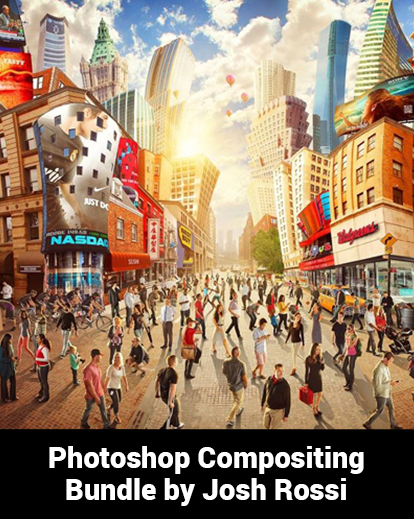



[vc_row font_color=”#000000″ css=”.vc_custom_1539146696906{padding-top: 20% !important;padding-bottom: 20% !important;background-image: url(https://abz.photowhoa.com/wp-content/uploads/2018/10/photoshop-compositing-ver-2.jpg?id=518841) !important;background-position: center !important;background-repeat: no-repeat !important;background-size: cover !important;}”][vc_column][/vc_column][/vc_row][vc_row font_color=”#000000″ css=”.vc_custom_1539863996806{padding-top: 5% !important;padding-right: 10% !important;padding-bottom: 3% !important;padding-left: 10% !important;background-color: #eaeaea !important;}”][vc_column][vc_column_text]Composite photography. It holds so many possibilities…and at the same time, so many frustrations.
When you see the composite photos created by others, it’s just magical.
Shadows and light in unexpected places. Dramatic, eye-catching color. Surreal imagery.
But creating it on your own is not so easy.
There are many techniques that go into creating great composite photography, and it seems there’s never enough time to learn them all.
It would cost hundreds of dollars and many hours of your time to take a class from a professional. And few photographers are in a position to do that.
There are also many free tutorials on the Internet. But how can you trust that the people who post these tutorials really know what they are doing?
So you continue trying to figure it out on your own.
If only you could learn from an expert, without making such a sacrifice of your hard-earned money and time.[/vc_column_text][/vc_column][/vc_row][vc_row font_color=”#000000″ css=”.vc_custom_1539148509411{padding-top: 5% !important;padding-right: 5% !important;padding-left: 5% !important;background-color: #000000 !important;}”][vc_column][vc_column_text]
All the skills you need in 3 simple tutorials!
[/vc_column_text][/vc_column][/vc_row][vc_row font_color=”#000000″ css=”.vc_custom_1539149733630{padding-top: 5% !important;padding-right: 2% !important;padding-left: 2% !important;background-color: #000000 !important;}”][vc_column width=”1/2″][vc_column_text]
Adobe Campaign
[/vc_column_text][vc_single_image image=”518965″ alignment=”center”][/vc_column][vc_column width=”1/2″][vc_column_text]
Compositing Shadows
[/vc_column_text][vc_single_image image=”518966″ alignment=”center”][/vc_column][/vc_row][vc_row font_color=”#000000″ css=”.vc_custom_1539149745432{padding-top: 4% !important;padding-right: 2% !important;padding-left: 2% !important;background-color: #000000 !important;}”][vc_column][vc_column_text]
LG Ultrawide Campaign
[/vc_column_text][vc_single_image image=”518967″ alignment=”center” css=”.vc_custom_1539148427440{padding-right: 15% !important;padding-left: 15% !important;}”][/vc_column][/vc_row][vc_row font_color=”#000000″ css=”.vc_custom_1539148597272{padding-top: 5% !important;padding-right: 10% !important;padding-bottom: 3% !important;padding-left: 10% !important;background-color: #000000 !important;}”][vc_column][vc_column_text]In this bundle, you get to benefit of the awesome composite photography skills of Josh Rossi, a seasoned expert.
Instead of simply rattling off a list of steps, Josh takes you behind the scenes of his work.
He shows you his entire process, from budgeting to shooting to editing.
You will get the inside scoop about the creative process behind stunning composite photography.
You will learn how to come up with a realistic budget, how to handle wardrobe concerns, and how to build scenery.
And you will learn the editing skills that allow you to use light and shadow, color, and masking to their optimal effect.
Each video tutorial runs between 1 and 3 hours long. You can pause whenever you want, and go back to review a particular part of the video if needed. The course moves at your own pace.[/vc_column_text][/vc_column][/vc_row][vc_row font_color=”#000000″ css=”.vc_custom_1539149174514{padding-top: 5% !important;padding-right: 5% !important;padding-left: 5% !important;}”][vc_column][vc_column_text]
Every skill you’ll ever need
Here are the skills you will learn with each of these video tutorials.
[/vc_column_text][/vc_column][/vc_row][vc_row font_color=”#000000″ css=”.vc_custom_1539149292819{padding-top: 5% !important;padding-right: 5% !important;padding-left: 5% !important;}”][vc_column][vc_column_text]
Adobe Campaign
[/vc_column_text][/vc_column][/vc_row][vc_row font_color=”#000000″ css=”.vc_custom_1539150011020{padding-top: 3% !important;padding-left: 26% !important;}”][vc_column][vc_column_text]
- Techniques for Matching the Lighting of Each Object
- Different Coloring Techniques to Add Drama and Interest
- Creating Shadows From Scratch
[/vc_column_text][/vc_column][/vc_row][vc_row font_color=”#000000″ css=”.vc_custom_1539149340442{padding-top: 5% !important;padding-right: 10% !important;padding-left: 10% !important;}”][vc_column][vc_column_text]
Take a look at a before & after image
[/vc_column_text][/vc_column][/vc_row][vc_row font_color=”#000000″ css=”.vc_custom_1539149360439{padding-top: 3% !important;padding-right: 2% !important;padding-left: 2% !important;}”][vc_column width=”1/2″][vc_column_text]
Before
[/vc_column_text][vc_single_image image=”518968″ alignment=”center”][/vc_column][vc_column width=”1/2″][vc_column_text]
After
[/vc_column_text][vc_single_image image=”521523″ alignment=”center”][/vc_column][/vc_row][vc_row font_color=”#000000″ css=”.vc_custom_1539152134588{padding-top: 5% !important;}”][vc_column][vc_separator color=”black” border_width=”10″ el_width=”80″ el_class=”separator_hr”][/vc_column][/vc_row][vc_row font_color=”#000000″ css=”.vc_custom_1539153975217{padding-top: 4% !important;padding-right: 5% !important;padding-left: 5% !important;}”][vc_column][vc_column_text]
Compositing Shadows
[/vc_column_text][/vc_column][/vc_row][vc_row font_color=”#000000″ css=”.vc_custom_1539150025419{padding-top: 3% !important;padding-left: 26% !important;}”][vc_column][vc_column_text]
- How to Analyze Light and Create Shadows That Look Real and Match the Background Scene
- Create Shadows On a Curved Surface
- How to Blend in the Object With the Shadow
- Create Shadows in a Harsh Light Environment
- How to Color Your Shadows to Match the Others
[/vc_column_text][/vc_column][/vc_row][vc_row font_color=”#000000″ css=”.vc_custom_1539149340442{padding-top: 5% !important;padding-right: 10% !important;padding-left: 10% !important;}”][vc_column][vc_column_text]
Take a look at a before & after image
[/vc_column_text][/vc_column][/vc_row][vc_row font_color=”#000000″ css=”.vc_custom_1539149360439{padding-top: 3% !important;padding-right: 2% !important;padding-left: 2% !important;}”][vc_column width=”1/2″][vc_column_text]
Before
[/vc_column_text][vc_single_image image=”518970″ alignment=”center”][/vc_column][vc_column width=”1/2″][vc_column_text]
After
[/vc_column_text][vc_single_image image=”518971″ alignment=”center”][/vc_column][/vc_row][vc_row font_color=”#000000″ css=”.vc_custom_1539152134588{padding-top: 5% !important;}”][vc_column][vc_separator color=”black” border_width=”10″ el_width=”80″ el_class=”separator_hr”][/vc_column][/vc_row][vc_row font_color=”#000000″ css=”.vc_custom_1539153993652{padding-top: 4% !important;padding-right: 5% !important;padding-left: 5% !important;}”][vc_column][vc_column_text]
LG Ultrawide Campaign
[/vc_column_text][/vc_column][/vc_row][vc_row font_color=”#000000″ css=”.vc_custom_1539150025419{padding-top: 3% !important;padding-left: 26% !important;}”][vc_column][vc_column_text]
- Professional Color Grading
- Retouching
- Set Design
- Rigging
- Dodge and Burn on Your Model and Background
- Advanced Masking and Retouching Techniques
[/vc_column_text][/vc_column][/vc_row][vc_row font_color=”#000000″ css=”.vc_custom_1539149340442{padding-top: 5% !important;padding-right: 10% !important;padding-left: 10% !important;}”][vc_column][vc_column_text]
Take a look at a before & after image
[/vc_column_text][/vc_column][/vc_row][vc_row font_color=”#000000″ css=”.vc_custom_1539151289810{padding-top: 3% !important;padding-right: 2% !important;padding-bottom: 3% !important;padding-left: 2% !important;}”][vc_column width=”1/2″][vc_column_text]
Before
[/vc_column_text][vc_single_image image=”518972″ alignment=”center”][/vc_column][vc_column width=”1/2″][vc_column_text]
After
[/vc_column_text][vc_single_image image=”518973″ alignment=”center”][/vc_column][/vc_row][vc_row font_color=”#000000″ css=”.vc_custom_1539151130743{padding-top: 5% !important;padding-right: 5% !important;padding-left: 5% !important;background-color: #000000 !important;}”][vc_column][vc_column_text]
The best available tutorials on composite photography
[/vc_column_text][/vc_column][/vc_row][vc_row font_color=”#000000″ css=”.vc_custom_1539864020285{padding-top: 3% !important;padding-right: 10% !important;padding-bottom: 3% !important;padding-left: 10% !important;background-color: #000000 !important;}”][vc_column][vc_column_text css=”.vc_custom_1539151973645{padding-top: 2% !important;padding-left: 3% !important;}”]This expert collection of hands-on composite photography instruction is unlike any other.
Nowhere else will an expert take you behind the scenes and give you such an intimate and thorough look at his craft.
The knowledge and skill that you can acquire from these courses in priceless.
In reality, each of these courses typically cost between $35 and $125 when purchased individually.
And that’s not even close to what you would pay a professional to teach you these valuable skills in person.
But this bundle offers them at an amazing combined price of $49.
It’s truly an incredible, once-in-a-lifetime opportunity for anyone who wants to master the art of composite photography.[/vc_column_text][/vc_column][/vc_row][vc_row font_color=”#000000″ css=”.vc_custom_1539151239832{padding-top: 5% !important;padding-right: 3% !important;padding-left: 3% !important;}”][vc_column][vc_column_text]
Grab this opportunity to create the composite photography you’ve always dreamed of.
**Limited Time Offer**
[/vc_column_text]
[/vc_column][/vc_row]

Reviews
There are no reviews yet.