




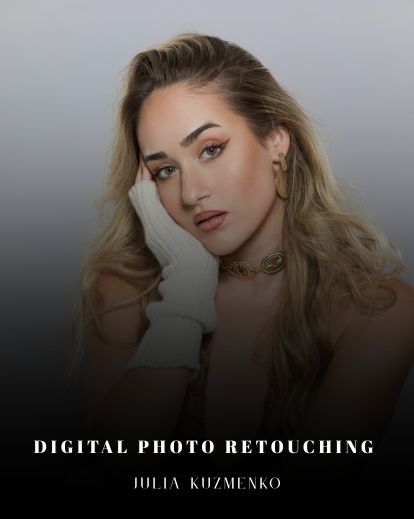



Why make things complicated? The greatest retouchers in the world all agree with one thing — most work you’ll do with Photoshop requires only the ESSENTIAL tools in Digital Photo Retouching.
 Let’s also clear up what “essential” means. It doesn’t mean basic. The essential tools are the tools you use 80% of the time. They’re the most important ones to learn – the ones to master. We’re talking about using Layers, Layers Masks, Selection tools, Dodge and Burn, the Clone Stamp, plus all the Healing Brushes.
And like realizing that primary colors make other colors, you’ll realize that these essential tools work together to create more powerful techniques that don’t get in your way and actually make retouching as simple and artistic as painting. Oh yeah, another thing about color, have you noticed them in these images? Pretty impressive, right?
Well, these images were all created using Julia’s workflows, all which you’ll learn in this interactive ebook. Also interactive, I love using that word. It means you’re getting the goods. That you’ll be able to download cool stuff – like custom beauty brushes Julia uses in her own work – as well as get 90+ minutes of exclusive video going over everything in the ebook.
With Digital Photo Retouching, you’ll learn an award-winning, internationally published approach to retouching for fashion, beauty, and portrait photography. You’ll learn in an import-to-export breakdown, learn exactly what tools, processes, and brushes, Julia uses for her own work. And a note to beginners: this isn’t for you, sorry!
Interactive PDF with videos to help you in Digital Photo Retouching
 When you buy this interactive guide, you’ll gain access to exclusive video materials, retouching tutorials and even behind-the-scenes videos from several photo shoots.
In the Guest Artist segments you’ll also see the beautiful work of several spectacular digital artists and photographers such as Emily Soto, Sue Bryce, Jean Osipyan, Anastastia Volkova, Ashley Lebedev and others!
Look for the “video” icon throughout the guide to access your interactive video content.

Julia shows some excellent start-to-finish retouches, but what really helped me were the sections that focused on a specific technique — like hair. Julia will go in-depth on topics crucial to beauty retouching such as hair, faces, and using special “beauty” brushes.
No two retouchers are the same, and Julia understands this. This interactive guide also features several brilliant guest artists’ work. This part is extremely valuable to help inspire you and give you more ideas about your own retouching.


So what’s inside this training course?
- Cover Image Illustrated Text Workshop + Video (42 min)
- Photographing & Retouching Face + Video (13 min)
- Photographing & Retouching Hair + Video (10 min)
- Tons of Images & Real World Photography & Retouching Tips
- Articles on Shooting on Location, in Studio, Working with Models and Digital Photo Retouching
- BONUS MATERIALS: Custom Beauty Brushes & Actions + Text & Video Tutorials on how to use them (30 min) (only in digital book)

Reviews
There are no reviews yet.