







[vc_row font_color=”#ffffff” css=”.vc_custom_1472210633395{padding-top: 17% !important;padding-right: 10% !important;padding-bottom: 17% !important;padding-left: 10% !important;background: #ffffff url(https://abz.photowhoa.com/wp-content/uploads/2016/08/nature-sunset-person-woman-slider.jpg?id=375153) !important;background-position: center !important;background-repeat: no-repeat !important;background-size: cover !important;}” background_style=”parallax”][vc_column font_color=”#ffffff” css=”.vc_custom_1414497512096{padding-right: 0px !important;padding-left: 0px !important;}”][vc_row_inner][vc_column_inner][vc_column_text css=”.vc_custom_1472206748608{margin-bottom: 0px !important;}”]
Want to deepen your portrait’s impact with some nifty finishing touches?
What you eliminate may be just as important as what you capture . . ..
[/vc_column_text][/vc_column_inner][/vc_row_inner][/vc_column][/vc_row][vc_row font_color=”#000000″ columns_height=”adjust_cols_height” css=”.vc_custom_1440461576782{background-position: center !important;background-repeat: no-repeat !important;background-size: cover !important;}” background_style=”normal”][vc_column css=”.vc_custom_1445201253043{padding-top: 10% !important;padding-right: 15% !important;padding-left: 15% !important;}”][vc_column_text css=”.vc_custom_1472211413586{margin-bottom: 0px !important;padding-top: 5% !important;padding-right: 10% !important;padding-bottom: 5% !important;padding-left: 10% !important;}”]
With this video, you’ll learn Photoshop techniques to edit light that heighten the drama of your portraits
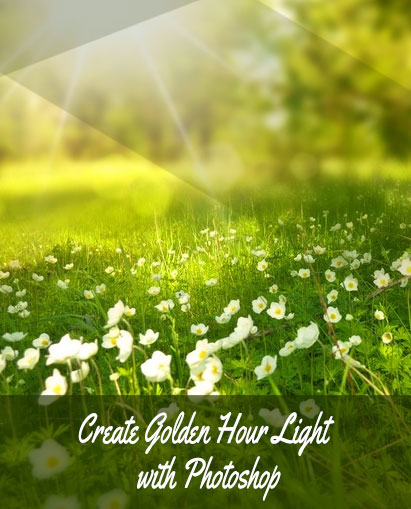
Let’s not beat a dead horse — you, me, and every single photographer we know loves golden hour light. It’s no secret. It’s magical. Beautiful. The backdrop of every romantic movie you’ve ever seen. But the question is, are you doing everything you can in Photoshop to amplify its potential? Are you using the corrects ways to edit light?
Yes, Photoshop can be intimidating. It’s hard enough to get your subject posed correctly. Shot perfectly. While doing your best to get everything right in camera. Then, like a bully, here comes Photoshop. Oh, no!
Again, on the field, this light can be a pain in the butt to handle. The powerful tones, colors, and shadows give you a lot to play with — and a lot to mess up. Wouldn’t you want Photoshop to help you?
One thing that always catches my eye is the redder cast everything takes. Which can be great. But sometimes this warmer color temperature can look unnatural when you start to really look at a portrait.
Greens can get weird. Almost neon. A field of grass can look alien.[/vc_column_text][vc_single_image image=”375149″ img_size=”large” alignment=”center”][/vc_column][/vc_row][vc_row font_color=”#000000″ css=”.vc_custom_1445201601404{background-color: #f7f7f9 !important;background-position: center !important;background-repeat: no-repeat !important;background-size: cover !important;}” background_style=”normal”][vc_column][vc_column_text css=”.vc_custom_1472211480858{padding-top: 5% !important;padding-right: 10% !important;padding-bottom: 2% !important;padding-left: 10% !important;}”]So how faithful do you want your colors to look? Sure, it might be nitpicky to think about it. But if you care about details, then it’s something you can’t miss. Here’s the thing, though: correcting, or adjusting, colors is only one part of editing golden hour portraits.
There are other important things to think about![/vc_column_text][vc_column_text css=”.vc_custom_1472207800426{padding-right: 10% !important;padding-bottom: 3% !important;padding-left: 10% !important;}”]For example, if you’re shooting into the sunset, how do you expose the sky just as well as your subject? If you want to blur the sky instead, how would you do that? These are among the many specific tasks that usually come up when working in golden hour light. [/vc_column_text][vc_single_image image=”375148″ alignment=”center” css=”.vc_custom_1472211100729{padding-top: 20px !important;padding-bottom: 20px !important;}”][vc_column_text css=”.vc_custom_1472211566410{padding-top: 2% !important;padding-right: 10% !important;padding-bottom: 5% !important;padding-left: 10% !important;}”]And that’s why I’m excited to share this video with you. In it, you’ll learn some finishing touches that you can use in Photoshop to amplify the power of golden hour light while eliminating eyesores, distractions, and other specific issues that come with it.
You’ll get techniques that are specifically tooled for golden hour portraiture. But this course is a limited-time promotion. So it won’t last long!
If you want to learn how to edit light for the perfect golden hour, you better hurry and buy now!
[/vc_column_text][/vc_column][/vc_row][vc_row][vc_column][vc_column_text css=”.vc_custom_1472214435447{padding-top: 5% !important;padding-bottom: 3% !important;}”]
What will I learn?
– How to add depth to sky
– How to paint on blur
– How to blend exposures
– How to correct & adjust color
– How to amplify light & adjust skin tones
———————————————————————————–
Note – No refunds for this deal
Bonus Photoshop action (Drama Matte)
[/vc_column_text][vc_row_inner css=”.vc_custom_1472207914743{padding-bottom: 5% !important;}”][vc_column_inner width=”1/2″][vc_single_image image=”375150″ css=”.vc_custom_1472211038066{padding-left: 5% !important;}”][/vc_column_inner][vc_column_inner width=”1/2″][vc_single_image image=”375151″ css=”.vc_custom_1472210992965{padding-right: 5% !important;}”][/vc_column_inner][/vc_row_inner][/vc_column][/vc_row][vc_row font_color=”” css=”.vc_custom_1440465985813{padding-top: 10% !important;padding-bottom: 10% !important;background-color: #f7f7f9 !important;}”][vc_column][vc_column_text]
What can ruin the magical light of golden hour?
Learn Photoshop techniques to edit light for achieving the magical golden hour. Buy this video course today!
[/vc_column_text][vc_column_text][add_to_cart_or_expire_btn][/vc_column_text][/vc_column][/vc_row]

Chris Morrison –
This is an excellent product whose only downside is that it cannot be downloaded, I would appreciate many more of this type of product but please give me proper downloads for purchases!
Chuck Sinclair –
I can download this purchase but cannot open the download. Photowhoa was going to fix it but so far I still cannot open the download. This is the second straight download purchase from Photowhoa that I cannot open.
Kim –
Amazing! Better than any other expensive webinars I’ve taken in the past. Surpasses all the ” well known rockstars” out there. ??
Anonymous –
Very well done video.