







[vc_row font_color=”#000000″ columns_height=”adjust_cols_height” css=”.vc_custom_1486122751032{background-color: #000000 !important;background-position: center !important;background-repeat: no-repeat !important;background-size: cover !important;}” background_style=”normal”][vc_column][vc_single_image image=”394118″ alignment=”center” css=”.vc_custom_1488859380150{background-color: #000000 !important;}”][/vc_column][/vc_row][vc_row font_color=”#000000″ columns_height=”adjust_cols_height” css=”.vc_custom_1440461576782{background-position: center !important;background-repeat: no-repeat !important;background-size: cover !important;}” background_style=”normal”][vc_column][vc_column_text css=”.vc_custom_1487757809400{margin-bottom: 0px !important;padding-top: 6% !important;padding-right: 10% !important;padding-bottom: 3% !important;padding-left: 10% !important;}”]
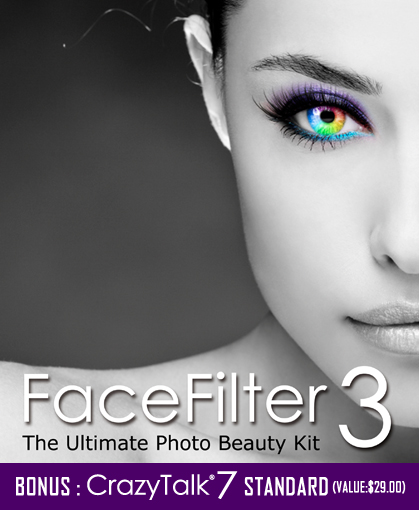
Face Filter 3, A versatile tool to fix blemishes, smooth skin, and create the perfect portrait.
[/vc_column_text][vc_column_text css=”.vc_custom_1486115018136{margin-bottom: 0px !important;padding-top: 2% !important;padding-right: 10% !important;padding-bottom: 2% !important;padding-left: 10% !important;}”]
Check Out The Video For More
[/vc_column_text][vc_video link=”https://youtu.be/PkmOCjqlcis” css=”.vc_custom_1486114827090{padding-right: 10% !important;padding-bottom: 5% !important;padding-left: 10% !important;}”][/vc_column][/vc_row][vc_row font_color=”#000000″ columns_height=”adjust_cols_height” css=”.vc_custom_1486122964784{background-position: center !important;background-repeat: no-repeat !important;background-size: cover !important;}” background_style=”normal”][vc_column][vc_text_separator title=”Features” color=”black” style=”border” border_width=”2″][/vc_column][/vc_row][vc_row font_color=”#000000″ columns_height=”adjust_cols_height” css=”.vc_custom_1486122958171{padding-top: 5% !important;padding-right: 10% !important;padding-bottom: 5% !important;padding-left: 10% !important;background-position: center !important;background-repeat: no-repeat !important;background-size: cover !important;}” background_style=”normal”][vc_column width=”1/2″ css=”.vc_custom_1485773516856{padding-top: 0% !important;padding-right: 0% !important;padding-left: 0% !important;}”][vc_single_image image=”394095″ alignment=”center” css=”.vc_custom_1488859354503{padding-right: 5% !important;}”][/vc_column][vc_column width=”1/2″][vc_column_text css=”.vc_custom_1487757719419{margin-top: 0px !important;margin-bottom: 0px !important;padding-top: 0% !important;padding-right: 0% !important;padding-bottom: 0% !important;padding-left: 5% !important;}”]
Make-up System
Just imagine, having the best makeup artist in the world at your fingertips AFTER your shot is done.
Face Filter 3’s makeup application system allows you to instantly add eye shadow, blush, and mascara to your subject’s face.
- Highlight and Contour for Sculpted Looks
- Make your Face Glow with Beautiful Blush
- The Complete Eye Makeup Design
- Apply Lipsticks & Teeth Whitening
[/vc_column_text][/vc_column][/vc_row][vc_row font_color=”#000000″ columns_height=”adjust_cols_height” css=”.vc_custom_1486122984577{padding-right: 10% !important;padding-bottom: 10% !important;padding-left: 10% !important;background-position: center !important;background-repeat: no-repeat !important;background-size: cover !important;}” background_style=”normal”][vc_column width=”1/2″ css=”.vc_custom_1485773516856{padding-top: 0% !important;padding-right: 0% !important;padding-left: 0% !important;}”][vc_single_image image=”394100″ css=”.vc_custom_1488859334698{padding-right: 5% !important;}”][/vc_column][vc_column width=”1/2″][vc_single_image image=”394101″][/vc_column][/vc_row][vc_row font_color=”#000000″ css=”.vc_custom_1486104203172{padding-top: 5% !important;padding-right: 10% !important;padding-bottom: 5% !important;padding-left: 10% !important;background-color: #000000 !important;}”][vc_column][vc_row_inner][vc_column_inner width=”1/2″][vc_column_text css=”.vc_custom_1486106561923{margin-top: 0px !important;margin-bottom: 0px !important;padding-right: 5% !important;padding-bottom: 0% !important;}” el_class=”[email protected]”]
Skin Enhancement
FaceFilter3 comes with one of the most advanced skin retouching features on the market today.
The power and strength of your skin retouching is adjustable. So whether you want a fully smooth skin or you want just a slight touch-up, you can use FaceFilter3 to create the right amount of smoothing.
- Adjust Skin Color Tone for a Glowing Complexion
- Dealing with the Greasy Look After Using the Camera Flash
- Smooth Skin with Texture and Details
- Reduce Eye Bag and Dark Circles
- Remove Blemishes on the Neck and Shoulder
[/vc_column_text][/vc_column_inner][vc_column_inner width=”1/2″][vc_single_image image=”394092″ css=”.vc_custom_1585653633771{padding-top: 1% !important;padding-right: 1% !important;padding-bottom: 1% !important;padding-left: 1% !important;}”][/vc_column_inner][/vc_row_inner][vc_row_inner][vc_column_inner][vc_single_image image=”394094″ alignment=”center” css=”.vc_custom_1486117320648{padding-top: 5% !important;}”][/vc_column_inner][/vc_row_inner][/vc_column][/vc_row][vc_row font_color=”#000000″ columns_height=”adjust_cols_height” css=”.vc_custom_1486123111447{padding-top: 5% !important;padding-right: 10% !important;padding-bottom: 2% !important;padding-left: 10% !important;background-color: #ffffff !important;background-position: center !important;background-repeat: no-repeat !important;background-size: cover !important;}” background_style=”normal”][vc_column width=”1/2″ css=”.vc_custom_1485773516856{padding-top: 0% !important;padding-right: 0% !important;padding-left: 0% !important;}”][vc_single_image image=”393088″ alignment=”center” css=”.vc_custom_1488859292629{padding-right: 5% !important;}”][/vc_column][vc_column width=”1/2″][vc_column_text css=”.vc_custom_1486123069724{margin-top: 0px !important;margin-bottom: 0px !important;padding-top: 0% !important;padding-right: 0% !important;padding-bottom: 0% !important;padding-left: 5% !important;}”]
Facial Reshaping
Didn’t get the right pose? With facial reshaping you can add subtle changes to your model’s face, giving her a slight smile, a slight change in the eye, or even a thinner jawline.
- Applying One-Click Template for Instant Effects
- Redefining Expressions for Various Personalities
- Redefining Facial Features for Reshaping
- Advanced Manually Adjustment
[/vc_column_text][/vc_column][/vc_row][vc_row font_color=”#000000″ columns_height=”adjust_cols_height” css=”.vc_custom_1486104020158{padding-right: 10% !important;padding-bottom: 5% !important;padding-left: 10% !important;background-position: center !important;background-repeat: no-repeat !important;background-size: cover !important;}” background_style=”normal”][vc_column css=”.vc_custom_1485773516856{padding-top: 0% !important;padding-right: 0% !important;padding-left: 0% !important;}”][vc_single_image image=”393256″ alignment=”center”][/vc_column][/vc_row][vc_row font_color=”#000000″ css=”.vc_custom_1486102074243{background-color: #000000 !important;}”][vc_column][vc_row_inner css=”.vc_custom_1486102188442{padding-top: 5% !important;padding-bottom: 5% !important;}”][vc_column_inner width=”1/2″][vc_column_text css=”.vc_custom_1486123585966{margin-top: 0px !important;margin-bottom: 0px !important;padding-top: 5% !important;padding-right: 2% !important;padding-bottom: 0% !important;padding-left: 10% !important;}”]
Photo Effects
FaceFilter3 simplifies the action for photo effects, so you don’t need something as expensive as Photoshop to create professional effects.
For example –
- Smart Color Correction for Photo Tone and White Balance Setting
- Apply Post Effects with Lens Filters
- Create Stunning DSLR Effects
- Smart photo focal adjustment
- Simulate realistic visual space with focal gradient
- Selective recoloring
- Enhance the Photo with Bokeh Effects
[/vc_column_text][/vc_column_inner][vc_column_inner width=”1/2″ css=”.vc_custom_1487741684189{padding-right: 7% !important;padding-left: 5% !important;}”][vc_single_image image=”394079″ css=”.vc_custom_1585653890458{padding-top: 1% !important;padding-right: 1% !important;padding-bottom: 1% !important;padding-left: 1% !important;}”][/vc_column_inner][/vc_row_inner][vc_single_image image=”394077″ alignment=”center” css=”.vc_custom_1486102582427{padding-bottom: 5% !important;}”][/vc_column][/vc_row][vc_row][vc_column][vc_column_text css=”.vc_custom_1486123142038{padding-top: 5% !important;}”]
What’s Included?
[/vc_column_text][vc_row_inner css=”.vc_custom_1486119800972{padding-right: 10% !important;padding-bottom: 5% !important;padding-left: 15% !important;}”][vc_column_inner width=”1/2″][vc_column_text]
- Easy & Complete Editing Environment
- Lossless Editing
- Three Different View Modes to See the Difference
- Accurate Results with Detailed Face Fitting
- Over 400 Visual Templates to Change Looks
- Advanced Enhancement Through Modify Panels
- High-resolution Image Export
- Adjust Skin Color Tone
- Dealing with Oily Skin
- Smooth Skin with Texture
- Eye Bag Reduction
- Neck & Shoulder Editing
- Highlight and Contour for Sculpted Looks
- Make your Face Glow with Beautiful Blush
- The Complete Eye Makeup Design
[/vc_column_text][/vc_column_inner][vc_column_inner width=”1/2″][vc_column_text css=”.vc_custom_1486119600949{padding-left: 10% !important;}”]
- Enhance Eyebrows
- Reshape Eyes with Eyeliner
- Accentuate Eyes with Eye Shadow
- Mascara and Lashes
- Cosmetic Lens
- Red-eye Removal
- Apply Lipsticks & Teeth Whitening
- Redefining Expression
- Redefining Facial Features
- Advanced Manually Adjustment
- Smart Color Correction
- Apply Post Effects with Lens Filters
- Create Stunning DSLR Effects
- Enhance the Photo with Bokeh Effects
[/vc_column_text][/vc_column_inner][/vc_row_inner][/vc_column][/vc_row][vc_row][vc_column][vc_column_text css=”.vc_custom_1486123159220{padding-top: 5% !important;}”]
Technical Specification
[/vc_column_text][vc_row_inner css=”.vc_custom_1486119816448{padding-right: 10% !important;padding-bottom: 5% !important;padding-left: 15% !important;}”][vc_column_inner width=”1/2″][vc_column_text]
Windows Edition
- Version: 3.02.1821.1
- Platform: Win XP SP2 / Vista / 7 / 8 / 10
- Release Date: 2013-07-01
- Resource Pack – 80.6 MB
[/vc_column_text][/vc_column_inner][vc_column_inner width=”1/2″][vc_column_text css=”.vc_custom_1486117378055{padding-left: 10% !important;}”]
Mac Edition
- Version: 3.04.2626.1
- Platform: OS X v10.7 or later
- Release Date: 2014-03-10
- Resource Pack – 79.5 MB
[/vc_column_text][/vc_column_inner][/vc_row_inner][/vc_column][/vc_row][vc_row font_color=”#000000″ css=”.vc_custom_1521692659054{padding-top: 5% !important;padding-right: 10% !important;padding-left: 10% !important;}”][vc_column][vc_column_text]
What others are saying…
FaceFilter3 has been picked “The Best Photo Retouching Software” by Top Ten Reviews Contributor.
[/vc_column_text][/vc_column][/vc_row][vc_row font_color=”#000000″ css=”.vc_custom_1521693282415{padding-top: 2% !important;padding-right: 10% !important;padding-left: 10% !important;}”][vc_column][vc_column_text]
With FaceFilter3 from Reallusion, you can easily retouch your portraits into works of art. This photo retouching software features a full-service cosmetic makeover feature, facial reshaping and some basic photo editing settings to help you make the perfect picture. It also positions your before and after photos side by side to help you see just how much you’ve edited your photo.
Read more here[/vc_column_text][/vc_column][/vc_row][vc_row font_color=”#000000″ columns_height=”adjust_cols_height” css=”.vc_custom_1521692785814{padding-top: 3% !important;background-position: center !important;background-repeat: no-repeat !important;background-size: cover !important;}” background_style=”normal”][vc_column][vc_text_separator title=”BONUS” color=”black” style=”border” border_width=”2″ css=”.vc_custom_1486123197674{padding-bottom: 5% !important;}”][/vc_column][/vc_row][vc_row font_color=”#000000″][vc_column][vc_row_inner][vc_column_inner width=”1/2″][vc_column_text css=”.vc_custom_1486117554715{padding-top: 10% !important;padding-left: 10% !important;}”]
CrazyTalk 7 – Facial Animation Tool
CrazyTalk has an innovative auto motion technology, which allows your own voice to drive the intensity of your animations.
CrazyTalk provides you with not only unique tools that help you vividly animate facial images, but it also includes hundreds of auto animation profiles that give your character all kinds of emotions and movement styles.[/vc_column_text][/vc_column_inner][vc_column_inner width=”1/2″][vc_single_image image=”394109″ alignment=”center”][/vc_column_inner][/vc_row_inner][vc_column_text css=”.vc_custom_1486117615524{padding-top: 2% !important;}”]
Check out this video to know more
[/vc_column_text][vc_video link=”https://youtu.be/LLyYxuvc54E” css=”.vc_custom_1486117598707{padding-right: 10% !important;padding-bottom: 5% !important;padding-left: 10% !important;}”][/vc_column][/vc_row][vc_row font_color=”” css=”.vc_custom_1440465985813{padding-top: 10% !important;padding-bottom: 10% !important;background-color: #f7f7f9 !important;}”][vc_column][vc_column_text]
Ready to create better portraits?
Get Face Filter 3 at a massive discount, only on PhotoWhoa.
[/vc_column_text][/vc_column][/vc_row]

JAIKUMAR MENON –
Looks interesting
Roxann Hennessy –
Amazing results!! A big learning curve for me as I was still using a program from YEARS ago, but once I got the idea down, the results I was able to get were absolutely stunning!
m s –
🙂