







[vc_row font_color=”#000000″ css=”.vc_custom_1558600790635{padding-top: 3% !important;padding-right: 4% !important;padding-bottom: 3% !important;padding-left: 10% !important;background-color: #efefef !important;}”][vc_column][vc_column_text]
All you want to do is reduce the size of a photo. It seems like it should be easy, right?
Wrong!
Every time you try to make an image smaller, it seems that the quality disappears along with the size.
There are many image optimizer windows available on the market to help. But most of the time, this just makes your situation worse.
After using them, you find that you’ve lost the vivid, dramatic colors of your image. And everything just feels a little off.
That’s because most image optimizers remove some of the metadata from your photo in the process of resizing it.
So you end up with a different photo from what you started out with.
Then you spend hours of your precious time tinkering with your reduced image to try to get it to mimic the stunning result that you had before.
Besides, most image optimizer windows are very pricey. So not only are you throwing valuable time away, but financial resources too.
And when it’s all to achieve a mediocre final result…well, you can’t help but wonder if you can do better.
The answer is…YES, you can 🙂 You just need the right tools.
[/vc_column_text][/vc_column][/vc_row][vc_row font_color=”#000000″ css=”.vc_custom_1558603050828{padding-top: 3% !important;background-color: #000000 !important;}”][vc_column][vc_custom_heading text=”The Ultimate Image Optimizer – Windows” font_container=”tag:h2|text_align:center|color:%23ffffff” google_fonts=”font_family:Roboto%3A100%2C100italic%2C300%2C300italic%2Cregular%2Citalic%2C500%2C500italic%2C700%2C700italic%2C900%2C900italic|font_style:500%20bold%20regular%3A500%3Anormal”][/vc_column][/vc_row][vc_row font_color=”#000000″ css=”.vc_custom_1558603078417{padding-top: 3% !important;padding-right: 3% !important;padding-bottom: 3% !important;padding-left: 3% !important;background-color: #000000 !important;}”][vc_column width=”1/2″][vc_column_text]
We’re proud to introduce Black Bird Image Optimizer.
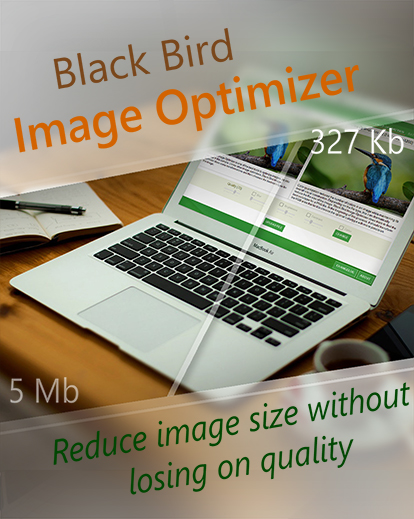
Now, at last, you can reduce the size of your photos without sacrificing quality.
In fact, you can reduce your image several times over without compromising dimensions or color.
That’s because it uses an innovative color quantification algorithm which makes several trials before choosing the best color prototype for your image.
It also dramatically reduces the number of colors in the image without compromising the overall visual construction.
So no matter how many times you reduce the size of your image, it will still look every bit as striking as your original photo.
It even offers batch optimization, so that you can effectively reduce the size of dozens of photos in one seamless process.
The tool also provides controls for blur, brightness, contrast, and color. This gives you flawless control, along with ease of use.
Best of all, if you have any trouble at all, you can contact customer support and receive assistance within 24 hours.
With this tool at your disposal, all kinds of possibilities open up for you.
You can quickly and easily resize images to fit on posters, collages, or within picture frames. The convenience and effectiveness of this process mean you can produce more images of higher quality.
As a result, you will soon soar above the competition.
[/vc_column_text][/vc_column][vc_column width=”1/2″][vc_column_text]
 [/vc_column_text][/vc_column][/vc_row][vc_row font_color=”#000000″ css=”.vc_custom_1558603178576{padding-top: 3% !important;padding-right: 4% !important;padding-bottom: 3% !important;padding-left: 14% !important;}”][vc_column][vc_column_text]
Every Feature You Need In One Simple Bundle
Here is what you get with this great package.
-
Unlimited Images. Download and optimize as many images as you want, any time.
-
Advanced Optimization. Use this one-of-a-kind algorithm to transform your photos effortlessly, without losing quality.
-
High Optimization. High-level optimization comes as part of your purchase.
-
Batch Optimization. Download and resize your photos in large batches.
-
Advanced Filtres. Achieve any result you desire with ease.
-
Color Quantization to effortlessly reduce the number of colors in the photo
[/vc_column_text][/vc_column][/vc_row][vc_row font_color=”#000000″ css=”.vc_custom_1558604537152{padding-top: 3% !important;padding-bottom: 2% !important;background-color: #efefef !important;}”][vc_column][vc_custom_heading text=”Check Out Some Of The Examples Below” font_container=”tag:h2|text_align:center” google_fonts=”font_family:Roboto%3A100%2C100italic%2C300%2C300italic%2Cregular%2Citalic%2C500%2C500italic%2C700%2C700italic%2C900%2C900italic|font_style:500%20bold%20regular%3A500%3Anormal”][/vc_column][/vc_row][vc_row font_color=”#000000″ css=”.vc_custom_1558604420424{padding-top: 2% !important;padding-right: 3.5% !important;padding-bottom: 2% !important;padding-left: 3.5% !important;background-color: #efefef !important;}”][vc_column width=”1/2″][vc_single_image image=”562592″ alignment=”center” style=”vc_box_shadow_3d”][/vc_column][vc_column width=”1/2″][vc_single_image image=”562593″ alignment=”center”][/vc_column][/vc_row][vc_row font_color=”#000000″ css=”.vc_custom_1558604556185{padding-bottom: 3% !important;padding-left: 11% !important;background-color: #efefef !important;}”][vc_column][vc_single_image image=”562594″ alignment=”center”][/vc_column][/vc_row][vc_row font_color=”#000000″ css=”.vc_custom_1558604818971{padding-top: 3% !important;padding-bottom: 1% !important;background-color: #000000 !important;}”][vc_column][vc_custom_heading text=”The One and Only Tool You’ll Ever Need For Optimization” font_container=”tag:h2|text_align:center|color:%23ffffff” google_fonts=”font_family:Roboto%3A100%2C100italic%2C300%2C300italic%2Cregular%2Citalic%2C500%2C500italic%2C700%2C700italic%2C900%2C900italic|font_style:500%20bold%20regular%3A500%3Anormal”][/vc_column][/vc_row][vc_row font_color=”#000000″ css=”.vc_custom_1558604378778{padding-top: 3% !important;padding-right: 3% !important;padding-bottom: 3% !important;padding-left: 3% !important;background-color: #000000 !important;}”][vc_column width=”1/2″][vc_single_image image=”562595″][/vc_column][vc_column width=”1/2″][vc_column_text]
It’s the only optimizer which doesn’t remove metadata from your photos in the resizing process. It leaves your images visually intact.
It’s also the only optimizer tool that allows you to reduce images drastically and dramatically. Depending on the file type, you can reduce the same photo many times over without altering the overall visual structure.
Best of all, you can grab Black Bird Image Optimizer for a price that’s well within reach of any photographer’s budget.
For a limited time, you can purchase the Black Bird Image Optimizer for just $19 (normally $34.95).
You’ll fall in love with this complete revolution in the art of photo resizing.
Take part in the revolution today.
[/vc_column_text][/vc_column][/vc_row][vc_row font_color=”#000000″ css=”.vc_custom_1558604241221{padding-top: 3% !important;padding-right: 4% !important;padding-bottom: 4% !important;padding-left: 4% !important;}”][vc_column][vc_column_text]
Download this incredible image optimizer windows tool right now and your photos will never be the same.
[Windows Only]
[/vc_column_text][/vc_column][/vc_row][vc_row][vc_column]
[/vc_column][/vc_row]

Reviews
There are no reviews yet.