







[vc_row][vc_column][vc_column_text css=”.vc_custom_1470724927994{padding-right: 10% !important;padding-left: 10% !important;}”]
Over 100 couture-level actions in one high-end collection

Stop second guessing your eye for beauty. With this Khroma Luxe artisan bundle, you’ll never be without high style. Flawless complexions, impeccable color, luminous hair—all these essentials of couture won’t be unreachable. In one or two clicks, you’ll do more than you’ve ever done before.
The Khroma Luxe Artisan bundle has some of the best actions that we’ve ever seen for beauty, fashion, or glamour photography. From their groundwork tools like spot removers and eye whiteners to their fine-tuned ones like hair enrichers and makeup toners, every action hits a perfect note.
You’ll equip a professional’s range of expression. Actions that surpass regular, ordinary touch ups. And are more than gimmicks. With them, you’ll gain full control of dynamic style. Over 100 actions that chisel your photo down to its most radiant state.
What’s included? Why should I buy this Khroma Luxe Artisan Bundle?
You’re going to get 155 Photoshop actions that help you retouch your photo to the standards of high fashion. The actions require PS CS2 – CC. They also work with most later versions of Photoshop Essentials (9-13). See more info here.
KHROMA LUXE-ARTISAN

A collection of 30 Photoshop actions created to take your retouching to the next level and give you high-end pro results. Crafted and tuned to give realistic results, the Khroma Luxe Artisan Collection includes the groundwork tools the pros use for retouching as well as starter makeup colors. Also includes a PDF Info Guide with illustrations.
[/vc_column_text][/vc_column][/vc_row][vc_row font_color=”#000000″ css=”.vc_custom_1470724967940{padding-right: 10% !important;padding-left: 10% !important;}”][vc_column width=”1/2″][vc_single_image image=”371821″][/vc_column][vc_column width=”1/2″][vc_single_image image=”371822″][/vc_column][/vc_row][vc_row font_color=”#000000″ css=”.vc_custom_1470724979297{padding-right: 10% !important;padding-left: 10% !important;}”][vc_column][vc_single_image image=”371835″ alignment=”center”][/vc_column][/vc_row][vc_row][vc_column][vc_column_text css=”.vc_custom_1621490802531{padding-right: 10% !important;padding-left: 10% !important;}”]KHROMA LUXE-KATWALK

This set packed with 44 actions that include vibrant couture eye-shadow colours, metallic eye shadows, eye liners and lip tints. This set also includes a one-of-a-kind skin tone correcting tool that helps blend complexions for flawless dark, medium, and fair tones.


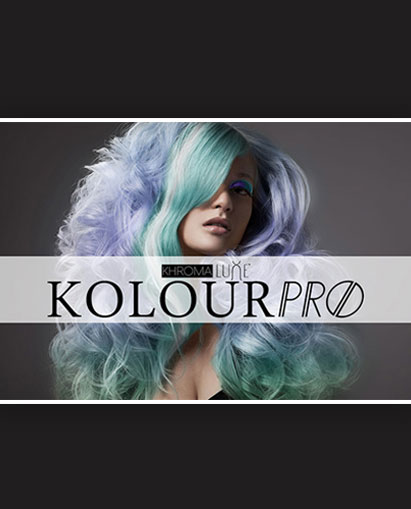
KHROMA LUXE-KOLOURPRO

Includes 51 actions that are used for fine tuning hair (banish frizz, richen hair color, add luminous shine). Kolour Fixes that are designed to correct unwanted tones in hair. With the wide range of shades you can create dramatic reds, sultry brunettes, pristine blondes or push the edge and redefine self-expression.

BONUS: KHROMA LUXE O’NATURALE EYES

This collection includes 30 Photoshop Actions. These eye color palettes were specifically designed to enhance natural eye colors (Greens/Blues/Browns) and were tuned to blend and smooth to give realistic results. All colors can be mixed and matched for endless results.
See what others are saying about this –
Basic personal portrait retouching favourites include the BB Smoother, Light Airbrush,Hibiscus (Cheek Stain), Medium Bronzer, the superb High Gloss…I could go on!
…So yes, a multitude of tools to choose from, to mix-and-match with, ensure you can always get just what you need.”
[/vc_column_text][/vc_column][/vc_row][vc_row][vc_column][vc_column_text]
I am text block. Click edit button to change this text. Lorem ipsum dolor sit amet, consectetur adipiscing elit. Ut elit tellus, luctus nec ullamcorper mattis, pulvinar dapibus leo.
[/vc_column_text][/vc_column][/vc_row]

Mike –
I’m sure they will be awesome once I go through the tutorial on how to install the actions. Looking forward to using them. Thank you.
crypto –
These are fabulous! They are the best set of actions I have found to realistically color hair and so many combinations when you layer the actions. Wonderful!
jose bonito –
I want to buy this product now, but not can not register, how do I buy – I appreciate the answer today – fotografiajosebonito – Portugal
[email protected] –
RE: Installation & Use
We do provide video tutorials on this bundle collection that will give full instructions on how to use this set (you will find the link to the video tutorials within the download file). We try to keep our products as user friendly for beginners as possible, however some knowledge of PS is a must when using advanced tools such as Photoshop Actions. If you need any help, please don’t hesitate to get in contact with us, we are always more than happy to help. 😉
Best Regards,
Seasalt & Co.
[email protected] –
Hi Scott,
If you go to the Photoshop Actions button and press it the Actions Panel will expand. On the top right beside the close panel button is the menu button, Open the menu and use the Load Actions… menu item. It will open the actions folder, copy your actions here. Run the action. They have a little pop-up that tells you what to do. Action worked fine, instructions definitely lacking for people unfamiliar with actions.
Cheers,
Jim
Scott –
Megha, It’s the actual installation that I don’t understand. Where should this folder be located? How do I open/attach them in Photoshop?
Megha Kendre –
Hi Scott,
I am forwarding this to my support team. You will be getting an email from us. This will quicken things I believe 🙂
Dan –
Will this product work with Photoshop Elements 10?
Megha Kendre –
Hi Dan
This will work with PE 10 🙂
Scott –
I purchased these actions but can’t find installation instructions. Also, where should I locate this folder? Thanks!
Megha Kendre –
Hi Scott,
Inside the download folder will include all corresponding files for Full versions of PS as well as PSE versions
Hope this helps!
Steve –
Will it work with Photoshop Elements 12? It did say that Photoshop Essential will work, but I just want to make sure that it means Photoshop Elements. Thanks.
Megha Kendre –
Hi Steve,
Yes it works with PSE 12. Inside the download folder will include all corresponding files for Full versions of PS as well as PSE versions. 🙂
Hope this helps