







[vc_row font_color=”#ffffff” css=”.vc_custom_1452070603982{padding-top: 17% !important;padding-right: 10% !important;padding-bottom: 17% !important;padding-left: 10% !important;background-image: url(https://abz.photowhoa.com/wp-content/uploads/2016/01/slider.jpg?id=318443) !important;background-position: center !important;background-repeat: no-repeat !important;background-size: cover !important;}” background_style=”parallax”][vc_column font_color=”#ffffff” css=”.vc_custom_1414497512096{padding-right: 0px !important;padding-left: 0px !important;}”][vc_row_inner][vc_column_inner][vc_column_text css=”.vc_custom_1452063162485{margin-bottom: 0px !important;}”]
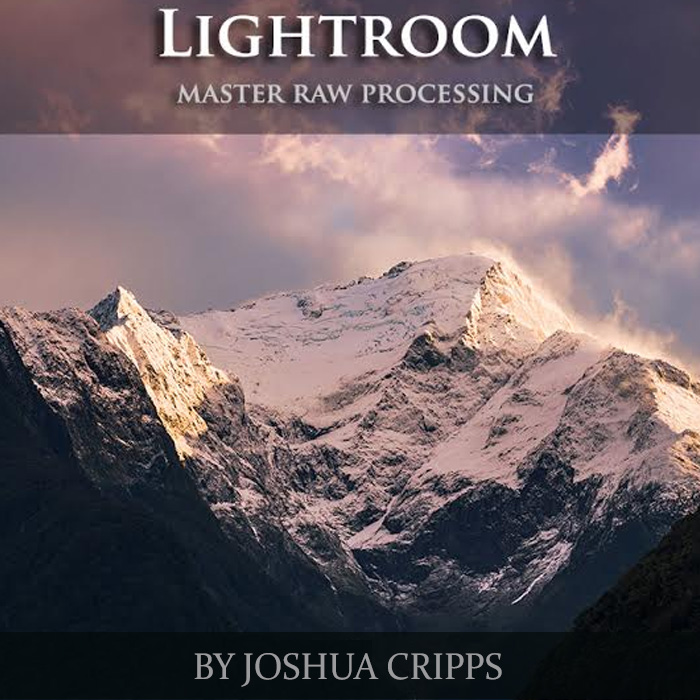
Master all the tools in Lightroom’s Develop Module
Know every option. Every tool. Every shortcut.
[/vc_column_text][/vc_column_inner][/vc_row_inner][/vc_column][/vc_row][vc_row font_color=”#000000″ columns_height=”adjust_cols_height” css=”.vc_custom_1452075928943{padding-top: 10px !important;background-position: center !important;background-repeat: no-repeat !important;background-size: cover !important;}” background_style=”normal”][vc_column css=”.vc_custom_1452075839315{padding-bottom: 10px !important;}”][vc_column_text css=”.vc_custom_1452074387613{margin-top: -70px !important;margin-bottom: 0px !important;padding-top: 10% !important;padding-right: 10% !important;padding-bottom: 10% !important;padding-left: 10% !important;}”]
Don’t learn Lightroom’s Develop Module the hard way…
Because if you do, you’ll learn Lightroom just as painfully as me. You’ll waste time googling what’s next after every step. You’ll waste time making rookie mistakes. You’ll waste time with sloppy, unsure editing. And who has time to waste?
Instead of a painstaking effort figuring out what each individual button, slider, filter, and shortcut does and what it’s useful for, I should have watched a 140-minute course like this one. It’s like putting all my month-long headaches into one big pill.
I would’ve learned everything I eventually experienced if only I spent an afternoon watching these videos. Trust me, if I could go back, I would have swallowed this pill rather than spend hours hunting for answers on the internet every time I opened up Lightroom.
Seriously, learn Lightroom like any sensible person would do nowadays. Buy these lightroom video tutorials and see what the Develop Module does by seeing it being done. Pause the learning or watch it all over again. No prior knowledge needed. Everything is covered from the ground up.[/vc_column_text][vc_row_inner css=”.vc_custom_1452071898783{padding-top: 10px !important;padding-bottom: 10px !important;}”][vc_column_inner width=”1/2″][vc_single_image image=”318445″][/vc_column_inner][vc_column_inner width=”1/2″][vc_single_image image=”318446″][/vc_column_inner][/vc_row_inner][/vc_column][/vc_row][vc_row font_color=”#000000″ columns_height=”adjust_cols_height” css=”.vc_custom_1440461576782{background-position: center !important;background-repeat: no-repeat !important;background-size: cover !important;}” background_style=”normal”][vc_column][vc_column_text css=”.vc_custom_1461844670425{margin-top: -10px !important;margin-bottom: 0px !important;padding-top: 10% !important;padding-right: 10% !important;padding-bottom: 10% !important;padding-left: 10% !important;}”]Starting from learning the layout of Lightroom’s Develop Module to customizing the program to work best for you, each video explains all the components that make up a professional Lightroom workflow.
Divided into 9 sections, you’ll start with the basics and then work your way up to the advanced techniques to gain a deep understanding of the program. For example, in the end, you’ll learn how to create presets for quick editing, use Snapshots for multiple edits of the same image, and how to transfer Develop settings from one image to another.
By learning each step and process, you’ll have a clear understanding of how to use Lightroom’s Develop module more effectively. You’ll have a practiced confidence when it comes to improving your RAW photos. In the end, you’ll have better photos with better edits. So grab these lightroom video tutorials & start learning lightroom with ease![/vc_column_text][/vc_column][/vc_row][vc_row font_color=”#000000″ css=”.vc_custom_1488864757676{background-color: #f7f7f9 !important;}”][vc_column css=”.vc_custom_1452072384511{padding-top: 10px !important;padding-bottom: 10px !important;}”][vc_column_text css=”.vc_custom_1488864728695{padding-top: 4% !important;padding-right: 10% !important;padding-bottom: 4% !important;padding-left: 10% !important;}”]
Here’s a peek inside:
Chapter 1: Getting Around & Customizing–learn the layout of the Lightroom Develop Module and the benefits of shooting raw. Customize the program to work best for you.
Chapter 2: Basic Global Adjustments–gain an in-depth understanding of LR’s powerful global editing sliders.
Chapter 3: Color and Tone Adjustments–gain a comprehensive understanding of the Tone Curve, HSL, and Split Toning panels, how to use them intelligently, and when to leave well enough alone.
Chapter 4: Detail, Lens Correction, Effects, Calibration–understand how to sharpen your photos and reduce noise, correct for lens distortion, add artistic effects, and fine tune LR’s camera profiles.
Chapter 5: Local Adjustments–learn the ins and outs of the three extraordinarily powerful local adjustment tools, the Graduated Filter, Radial Filter, and Adjustment Brush, in order to gain complete control of your processing.
Chapter 6: Clean Up Tools–understand the best ways to clean up blemishes, clean up images, and crop, rotate, and straighten intelligently.
Chapter 7: Shortcuts & Streamlining–gain a deep understanding of the History palette, creating Presets for quick editing, using Snapshots for multiple edits of the same image, and how to transfer Develop settings from one image to another.
Chapter 8: Complete Workflow 8 & 9–put it all together with two complete start-to-finish processing walkthroughs. Develop your own workflow and put the Develop tools to use for you.[/vc_column_text][/vc_column][/vc_row][vc_row font_color=”#000000″ css=”.vc_custom_1488864790387{padding-top: 5% !important;}”][vc_column][vc_column_text]
Skills You’ll Gain
[/vc_column_text][/vc_column][/vc_row][vc_row][vc_column][vc_single_image image=”318430″ alignment=”center”][/vc_column][/vc_row][vc_row][vc_column][vc_column_text css=”.vc_custom_1488864816819{padding-top: 5% !important;padding-right: 10% !important;padding-bottom: 5% !important;padding-left: 10% !important;}”]
Here’s What Others Are Saying About These Lightroom Video Tutorials…
“Love your videos and looking forward to many more. Great that you can explain complex concepts in relatively simple terms. Shows understanding of your subject.” – Tom S.
“I love this video! There are so many videos [out there], but I realized why I like yours so much….you make it fun! I have yet to see one of your videos that I didn’t say “oh” out loud. Keep them coming, but mainly, thanks for making them.” – Marcy L.
“This was extremely helpful. I am new to landscape photography and your comments, first of all, make sense and secondly, show me some details to consider when out taking landscape photos. Thank you.” – Jim G.[/vc_column_text][/vc_column][/vc_row][vc_row font_color=”#000000″ css=”.vc_custom_1488864387350{background-color: #000000 !important;}”][vc_column][vc_column_text css=”.vc_custom_1488864419862{padding-top: 5% !important;padding-right: 25% !important;padding-bottom: 5% !important;padding-left: 25% !important;}”]
What You’ll Get
- 9 Lightroom video tutorials covering all aspects of Lightroom’s Develop Module from the ground up; no prior knowledge required
- 140+ minutes of in-depth content for beginning / intermediate users
- 5 raw files for you to edit along with the videos
- Instant download access to tutorials; videos never expire
[/vc_column_text][/vc_column][/vc_row][vc_row font_color=”” css=”.vc_custom_1488864743948{padding-top: 10% !important;padding-bottom: 10% !important;background-color: #f7f7f9 !important;}”][vc_column css=”.vc_custom_1452073024346{padding-top: 20px !important;padding-bottom: 20px !important;}”][vc_column_text]
Want to edit with Lightroom without any headaches or confusion?
Step up your game and learn the Develop Module’s entire suite of tools.
[/vc_column_text][vc_column_text][add_to_cart_or_expire_btn][/vc_column_text][/vc_column][/vc_row]

rahul123 –
Best Video tutorial ever
Martin Romain –
One of the best video tutorials I have used. Extremely well presented, clear and easy to follow. Obviously a lot of thought has gone into it’s presentation which is greatly appreciated by the user.
Martin Romain –
working my way through the tutorial. Like the way it’s presented. clear, to the point and easy to follow. The various features/functions are clearly presented and simple to follow. One of the better courses I have purchased.