








Do you have an undying love for Photoshop? Or do you wish it never existed? How about Photoshop Training

I’m going to say something that may offend you. Especially if you’re grew up shooting film. Sorry in advance, but here it goes: A perfectly Photoshopped photo is as good as real. But of course, I don’t mean that literally.
What I mean is that most of us could never Photoshop something as well as Manni of RetutPro could. Unless, of course, we treated Photoshop as seriously as he does. I mean, if you can’t tell a photo’s been Photoshopped then that must mean there’s some amazing effort going on.
That’s why I love Photoshop geniuses like Manni. They automatically increase what they can achieve with their camera with just one skill. One. They increase the scope of their imagination, increase the images that they can produce, simply by taking Photoshop seriously.
With RetutPro’s Creative Portrait Retouching bundle, you’ll learn advanced Photoshop techniques that go beyond the beginner’s toolkit. You’ll learn techniques required to create seamlessly perfect compositions, learn to build and control light and hide blemishes and blend layers, all the while fine-tuning your retouching workflow.
You’ll be on your way to taking Photoshop seriously.
BONUS: You’ll also get a 20+ hour training bundle that includes RetutPro’s Photoshop Training and Vignette Retouching – an exhaustive compilation of RetutPro’s very best and most informative training videos.

Creative Portrait Retouching: 3.5 Hours, 22 Video Lessons
Photoshop isn’t magic. It’s technique and learning.
What are your usual steps to making selections in Photoshop? Do you use the pen tool? There are others. Do you know these? Do you want to learn more sophisticated tools? But even if you can’t give up the pen, do you want to learn how to use it more effectively?
RetutPro’s Creative Portrait Photoshop Training bundle is all about learning how to solve common retouching problems through understanding Manni’s workflow. You’ll learn how to merge objects in, take objects out. You’ll learn techniques that will allow you to immaculately change your set, or props, or even light.
Yes. Light. And People. And Skin. You’ll learn how to completely overhaul your mistakes. Or ingeniously add to your image. Basically, you’ll learn how to make seamlessly perfect photos.
But’s that’s saying too much. Just look at the trailer.

BONUS: 100+ Photoshop Training Videos
20+ Hours, Over 100 Videos
This is our largest collection of Photoshop training. Over 100 videos, more than 20 hours of instruction. If you’ve ever had a recurring problem or nagging question about Photoshop, I’m pretty sure you’ll find the answers here.
Need examples? To start off, you’ll learn the basics like working with layers, making smart objects and understanding essential tools like the healing brush and clone stamp tool. Then you’ll learn intermediate techniques like creating and working with actions and creating haze, texture, and grunge effects.
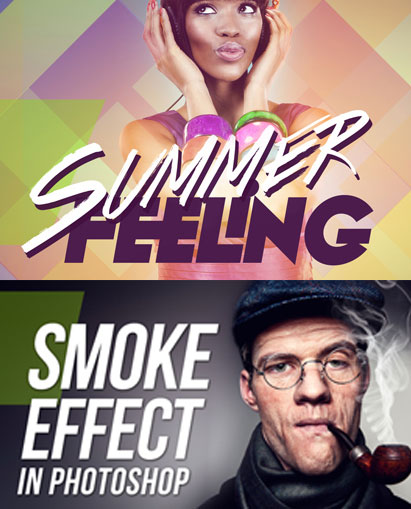
But that’s only 7 videos. You’ll also learn advanced techniques, tricks, and secrets only Manni could teach you. You’ll learn how to create smoke, create rain, retouch hair, and use plugins that you give the insane ability to expand an already powerful machine (like adding Nitrous Oxide to the best Bugatti!).
Here’s one example from the set:

Okay, I’m vaguely interested, give me a 5 point summary and I may consider it
- 100+ Videos, 25+ hours of the most insightful and illuminating Photoshop education
- PSDs/RAW files included to work alongside Manni
- Learn how to create perfect composites, learn how to retouch skin, eyes, hair, lips – learn each tool in Photoshop
- Instruction about beginning, intermediate, advanced, and super-advanced Photoshop techniques
- Note: This is a large download. Please only download if you have a reliable internet connection.
Learn more about the author of the Photoshop Training at RetutPro and on Youtube.

Marcin –
Hi, I would like to buy “creative portrait retouching training course”. What should I do..?:)
Kind regards,
MF
Megha Kendre –
Hi Marcin, please drop in a mail to [email protected] , we will try to ask the vendor if we can make an exception 🙂