







[vc_row font_color=”#ffffff” css=”.vc_custom_1473140223238{padding-top: 3% !important;padding-right: 10% !important;padding-bottom: 3% !important;padding-left: 10% !important;background: #262626 url(https://abz.photowhoa.com/wp-content/uploads/2015/05/shutter-pulse-main-image-darkened.jpg?id=284609) !important;background-position: center !important;background-repeat: no-repeat !important;background-size: cover !important;}” background_style=”parallax”][vc_column font_color=”#ffffff” css=”.vc_custom_1414497512096{padding-right: 0px !important;padding-left: 0px !important;}”][vc_column_text css=”.vc_custom_1481615990235{margin-bottom: 0px !important;}”]
Create art from ordinary photos with
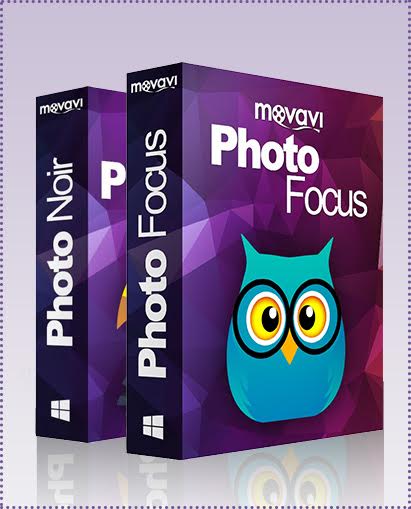
Movavi : Photo Focus + Photo Noir Software Bundle.
Use this bundle of software to transform your photos with focus & b/w effects.
[/vc_column_text][vc_single_image image=”387930″ css=”.vc_custom_1481705216372{padding-top: 2% !important;padding-bottom: 2% !important;}”][/vc_column][/vc_row][vc_row font_color=”#000000″ css=”.vc_custom_1478843729213{background-color: #eaeaea !important;}”][vc_column][vc_column_text css=”.vc_custom_1481693547631{padding-top: 5% !important;padding-right: 10% !important;padding-bottom: 1% !important;padding-left: 10% !important;}”]
Apply creative focus effects with Photo Focus by Movavi.
[/vc_column_text][vc_single_image image=”387908″ alignment=”center” css=”.vc_custom_1585736020785{padding-top: 1% !important;padding-right: 1% !important;padding-bottom: 1% !important;padding-left: 1% !important;}”][/vc_column][/vc_row][vc_row font_color=”#000000″ css=”.vc_custom_1481620060309{background-position: center !important;background-repeat: no-repeat !important;background-size: cover !important;}” background_style=”normal”][vc_column width=”1/2″ css=”.vc_custom_1481620720143{padding-top: 5% !important;}”][vc_column_text css=”.vc_custom_1481694476607{margin-bottom: 0px !important;padding-top: 5% !important;padding-right: 10% !important;padding-bottom: 10% !important;padding-left: 10% !important;}”]Want to add those artsy blur effects to your images? Movavi Photo Focus has you covered. With this software you can enhance your photos by adding various focus effects. I particularly enjoy blurring the edges of an image to bring focus to a certain point in the picture.
But what else can you do with these creative effects? You can transform landscape photographs into miniature dioramas with toy-like boats, buildings and people by emulating a shallow depth of field with macro blur.
In addition to the radial blur masks, the program also includes a precise Focus Brush: just mark the objects you want to stay in focus with the brush and blur everything else to add an entirely new narrative to your image.
Gain full control of the colors and other image parameters in both blurred and focused areas: adjust brightness, contrast and saturation, add vignettes, and more.
- Experiment with intuitive blur tool settings
- Apply soft radial blur to portrait photographs
- Emulate photo miniatures with macro blur settings
- Use precision brush to mark the areas in focus
- Crop, rotate, and align the frame
- Export edited pictures to most popular image formats
[/vc_column_text][/vc_column][vc_column width=”1/2″ css=”.vc_custom_1481620727210{padding-top: 5% !important;padding-right: 0px !important;padding-left: 0px !important;background-position: center !important;background-repeat: no-repeat !important;background-size: cover !important;}”][vc_single_image image=”387854″][vc_single_image image=”387858″][/vc_column][/vc_row][vc_row font_color=”#ffffff” css=”.vc_custom_1481621057346{padding-top: 5% !important;padding-right: 10% !important;padding-bottom: 5% !important;padding-left: 10% !important;background-image: url(https://abz.photowhoa.com/wp-content/uploads/2015/05/HDR-actions-example.jpg?id=284615) !important;background-position: center !important;background-repeat: no-repeat !important;background-size: cover !important;}” background_style=”parallax”][vc_column font_color=”#ffffff” css=”.vc_custom_1414497512096{padding-right: 0px !important;padding-left: 0px !important;}”][vc_video link=”https://www.youtube.com/watch?v=UIF0nWYJtu8″ el_width=”90″ align=”center”][/vc_column][/vc_row][vc_row font_color=”#000000″ css=”.vc_custom_1478843729213{background-color: #eaeaea !important;}”][vc_column][vc_column_text css=”.vc_custom_1481693563186{padding-top: 5% !important;padding-right: 10% !important;padding-bottom: 1% !important;padding-left: 10% !important;}”]
Transform color photos into gorgeous works of black & white art with Photo Noir
[/vc_column_text][vc_single_image image=”387914″ alignment=”center” css=”.vc_custom_1585735859625{padding-top: 1% !important;padding-right: 1% !important;padding-bottom: 1% !important;padding-left: 1% !important;}”][/vc_column][/vc_row][vc_row font_color=”#000000″ css=”.vc_custom_1481620069594{background-position: center !important;background-repeat: no-repeat !important;background-size: cover !important;}” background_style=”normal”][vc_column width=”1/2″ css=”.vc_custom_1481620748446{padding-top: 5% !important;}”][vc_single_image image=”387851″][vc_single_image image=”387917″][/vc_column][vc_column width=”1/2″ css=”.vc_custom_1481620741238{padding-top: 5% !important;padding-right: 0px !important;padding-left: 0px !important;background-image: url(https://abz.photowhoa.com/wp-content/uploads/2015/05/film_action_002.jpg?id=284608) !important;background-position: center !important;background-repeat: no-repeat !important;background-size: cover !important;}”][vc_column_text css=”.vc_custom_1481693379098{margin-bottom: 0px !important;padding-top: 5% !important;padding-right: 10% !important;padding-bottom: 10% !important;padding-left: 10% !important;}”]No need of advanced Photoshop skills to convert your photos to classy B&W. Movavi’s Photo Noir comes with a variety of amazing built-in presets. Included are 14 built-in black & white filters that will give you various looks ranging from light contrast to dark and grayscale.
Professional photographers who use black and white don’t just switch the saturation to zero. There is a process to create black & white images that look better and more dramatic to the eye. This is the process that Movavi’s software does for you, instantly.
If the standard filters are not quite what you want, you can tweak individual parameters to get the perfect results every time. Adjust exposure, contrast, saturation, brightness, shadows, and more.
One of my favorite features is the ability to selectively colorize parts of your image.
- Convert color photos to black and white
- Highlight composition, texture, and contrast
- Choose from 14 pre-made profiles
- Adjust image parameters, including exposure, contrast, and shadows
- Crop, flip, rotate and resize photos
- Save images in any popular formats, including PNG, BMP, JPG, and more
[/vc_column_text][/vc_column][/vc_row][vc_row font_color=”#ffffff” css=”.vc_custom_1481621068709{padding-top: 5% !important;padding-right: 10% !important;padding-bottom: 5% !important;padding-left: 10% !important;background-image: url(https://abz.photowhoa.com/wp-content/uploads/2015/05/HDR-actions-example.jpg?id=284615) !important;background-position: center !important;background-repeat: no-repeat !important;background-size: cover !important;}” background_style=”parallax”][vc_column font_color=”#ffffff” css=”.vc_custom_1414497512096{padding-right: 0px !important;padding-left: 0px !important;}”][vc_video link=”https://www.youtube.com/watch?v=EWKfwm9nx7Q” el_width=”90″ align=”center”][/vc_column][/vc_row][vc_row font_color=”#ffffff” css=”.vc_custom_1481648890490{padding-top: 3% !important;padding-right: 10% !important;padding-bottom: 3% !important;padding-left: 10% !important;background-color: #262626 !important;background-position: center !important;background-repeat: no-repeat !important;background-size: cover !important;}” background_style=”parallax”][vc_column font_color=”#ffffff” css=”.vc_custom_1414497512096{padding-right: 0px !important;padding-left: 0px !important;}”][vc_column_text css=”.vc_custom_1481648877386{margin-bottom: 0px !important;}”]
System Requirements.
Win
- Microsoft Windows Vista/7/8/10 with up-to-date patches and service packs installed
- Intel, AMD, or compatible processor, 1 GHz
- 1024 × 768 screen resolution, 32-bit color
- 512 MB RAM for Windows Vista; 2 GB for Windows 7, Windows 8, and Windows 10
- 250 MB available hard disk space for installation, 1 GB for ongoing operations
- Administrator permissions are required for installation
Mac
- Mac OS ? 10.6 or higher
- 64-bit Intel processor
- 800 × 600 screen resolution, 32-bit color
- 256 MB RAM
- 170 MB available hard disk space for installation, 1 GB for ongoing operations
- Administrator permissions are required for installation
[/vc_column_text][/vc_column][/vc_row][vc_row font_color=”” css=”.vc_custom_1481689600682{padding-top: 10% !important;padding-right: 10% !important;padding-bottom: 10% !important;padding-left: 10% !important;background-color: #f7f7f9 !important;}”][vc_column][vc_column_text css=”.vc_custom_1481693901104{margin-bottom: 0px !important;}”]
[improve_connection text=”Ready to create gorgeous photographs with only a few clicks?”]
The beauty of Movavi products is simplicity. Instead of needing advanced knowledge of Photoshop, users can save time and effort by using these one-click effects to enhance their photos.
[/vc_column_text][/vc_column][/vc_row]

zene za seks –
Everything is very open with a precise explanation of the challenges.It was really informative. Your site is useful. Many thanks for sharing!