







Stack your edits and effects together in a few clicks


How does speed and simplicity sound to you? Like editing your photos on your phone, PicLight – one of the best photo editing app, keeps editing simple and intuitive. In a few clicks, you’ll be able to achieve radically artistic transformations. And unlike Photoshop, you won’t need to look up how every little tool works.
With over 170 lighting effects, 20+ image filters, and 10+ fine-tuning tools, you’ll get everything you need to create unique effects, tones, and edits. You’ll finally get a way to easily enhance your photos while also cropping, rotating, and editing simply and powerfully.

PicLight packages 170+ lighting effects into 4 categories: Montage, Light, Glow, and Texture. Each effect can be layered and blended together so that you can incrementally adjust their looks. In this best photo editing app over 20 image filters are included, that change color, tone, and atmosphere.
You’ll also get 10+ fine-tuning tools that crop your photos and edit for saturation, hue, contrast, brightness, and highlights and shadows. With it all, you’ll be able to edit and enhance your photos on your computer nearly as simply and quickly as you would on your phone.
You can see the samples below. But remember you’ll be able to buy this for only a limited time. You won’t find it on here forever.
What’s included in this best photo editing app? Can I see some samples?
You’re going to get the full PicLight photo-enhancement app. It works for Mac OS X 10.7 or later. In total you’ll get over 200 tools to enhance and edit your photos. Each effect is fully customizable and you can layer one atop another. You can go through their tutorial here
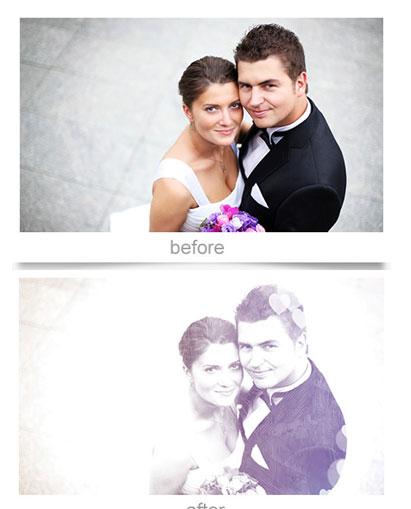
You’ll also be able to save & export JPG, TIFF, BMP, PNG, and GIF. And share directly to Facebook, to Flickr, to iPhoto, and with email. You’ll also get free lifetime support and updates to app. Here are some samples of what you can do:
Hover on the images to see the magic of the best photo editing app – Piclight!


Jenn –
this is a pretty cool tool. Don’t need any special knowledge or equipment to add layers to your photos. Only thing i don’t like is there is no brush to remove areas that I don’t want on the entire picture.