







[vc_row font_color=”#ffffff” css=”.vc_custom_1464949463028{padding-top: 15% !important;padding-right: 10% !important;padding-bottom: 15% !important;padding-left: 10% !important;background-image: url(https://abz.photowhoa.com/wp-content/uploads/2015/09/pexels-photo-1.jpg?id=357394) !important;background-position: center !important;background-repeat: no-repeat !important;background-size: cover !important;}” background_style=”parallax”][vc_column font_color=”#ffffff” css=”.vc_custom_1414497512096{padding-right: 0px !important;padding-left: 0px !important;}”][vc_row_inner][vc_column_inner][vc_column_text css=”.vc_custom_1464945099245{margin-bottom: 0px !important;}”]
Flip open this photo reference tool. Capture the truest colors & whites.
[/vc_column_text][/vc_column_inner][/vc_row_inner][/vc_column][/vc_row][vc_row font_color=”#000000″ columns_height=”adjust_cols_height” css=”.vc_custom_1440461576782{background-position: center !important;background-repeat: no-repeat !important;background-size: cover !important;}” background_style=”normal”][vc_column css=”.vc_custom_1445201253043{padding-top: 10% !important;padding-right: 15% !important;padding-left: 15% !important;}”][vc_column_text css=”.vc_custom_1464948557424{margin-top: -70px !important;margin-bottom: 0px !important;padding-top: 10% !important;padding-right: 10% !important;padding-bottom: 10% !important;padding-left: 10% !important;}”]
Creative, artistic decisions should be left to humans, right? Why leave color temperature and white balance to your camera and Photoshop, then?
If you’re nitpicky about staying true to what’s in front of the camera, then having a grey card is a very good idea.
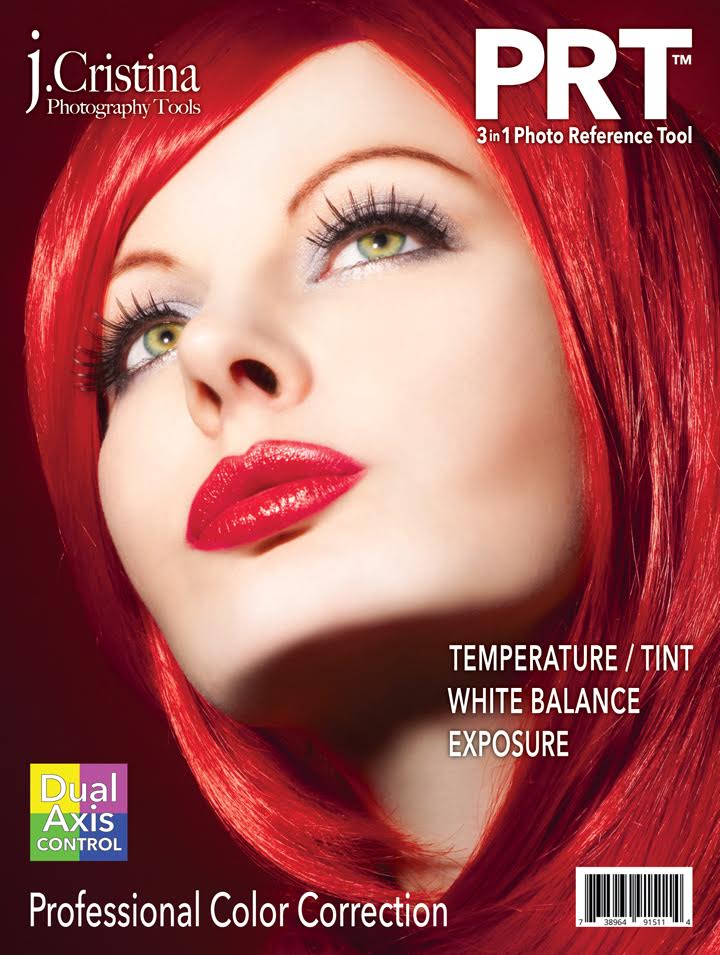
J. Cristina’s 3-and-1 Photo Reference Tool is basically a beefed-up grey card. It does triple duty. Not only does it give you a professional ability to tune your white balance manually, and accurate to every location, it also gives you color correcting and exposure control.
The 3 in 1 Photo Reference Tool features the revolutionary Dual Axis Color Control™ which takes into account both (Green / Magenta and Blue / Yellow) for fast single click True Color correction with consistent and repeatable results.
Constructed of high quality plastic for durability and weather resistance, the PRT feature a large gray card with center target for white balance making autofocus lockup easy while providing fast temperature neutralization in camera or in post production.
It also includes 36 other anti-reflective reference tiles to help you warm, neutralize, and cool color temperature while controlling exposure. The 12 step exposure gradient helps produce perfect tonal reproduction; balancing highlights with deep rich blacks.[/vc_column_text][/vc_column][/vc_row][vc_row font_color=”#000000″ css=”.vc_custom_1445201601404{background-color: #f7f7f9 !important;background-position: center !important;background-repeat: no-repeat !important;background-size: cover !important;}” background_style=”normal”][vc_column][vc_single_image image=”357382″ alignment=”center”][/vc_column][/vc_row][vc_row font_color=”#000000″ columns_height=”adjust_cols_height” css=”.vc_custom_1440461576782{background-position: center !important;background-repeat: no-repeat !important;background-size: cover !important;}” background_style=”normal”][vc_column css=”.vc_custom_1445201253043{padding-top: 10% !important;padding-right: 15% !important;padding-left: 15% !important;}”][vc_column_text css=”.vc_custom_1464948172506{margin-top: -70px !important;margin-bottom: 0px !important;padding-top: 10% !important;padding-right: 10% !important;padding-bottom: 10% !important;padding-left: 10% !important;}”]Most photographers color balance by eye using the temperature slider to warm or cool an image. This method delivers inconsistent and inaccurate results.
The back side of the PRT features our Dual Axis Color Control system which address this problem.
From in camera to post production the 3 in 1 Photo Reference Tool helps push your creativity to the next level providing complete color control over all your imaging creations.[/vc_column_text][/vc_column][/vc_row][vc_row font_color=”#000000″ css=”.vc_custom_1445201601404{background-color: #f7f7f9 !important;background-position: center !important;background-repeat: no-repeat !important;background-size: cover !important;}” background_style=”normal”][vc_column][vc_single_image image=”357383″ alignment=”center”][/vc_column][/vc_row][vc_row][vc_column][vc_column_text css=”.vc_custom_1464948598210{padding-top: 10% !important;}”]
What will the tool help you achive?
[/vc_column_text][vc_row_inner css=”.vc_custom_1464947994775{padding-right: 5% !important;padding-left: 5% !important;}”][vc_column_inner][vc_column_text]1. Color Correction using the 3 in 1 Photo Reference Tool provides color temperature warming, neutralizing and cooling with a single click.
Unlike any other unit on the market, the PRT includes Dual Axis Color Control™ dedicated 24 swatch color picker specifically designed for the portrait and product photographers. Using your favorite image editor enjoy ultra fast post processing, amazing image quality and stunning color fidelity.
Bonus: 12 additional color swatches for visual reference- Natural Skin Tones, RGB and CMY are included.[/vc_column_text][vc_single_image image=”357381″][/vc_column_inner][/vc_row_inner][vc_row_inner css=”.vc_custom_1464948081371{padding-top: 5% !important;padding-right: 5% !important;padding-left: 5% !important;}”][vc_column_inner][vc_column_text]2. White Balance using the 3 in 1 Photo Reference Tool’s built in gray target is super simple. This target can be used for in-camera custom white balance or color temperature correction during post-processing to neutralize problematic color temperature in an image.[/vc_column_text][vc_single_image image=”357389″ alignment=”center”][vc_column_text css=”.vc_custom_1464948993597{padding-top: 2% !important;}”]In-Camera Custom White Balance is a huge time saver but more importantly provides increased color fidelity in your final images.[/vc_column_text][/vc_column_inner][/vc_row_inner][vc_row_inner css=”.vc_custom_1464948052894{padding-top: 5% !important;padding-right: 5% !important;padding-bottom: 5% !important;padding-left: 5% !important;}”][vc_column_inner][vc_column_text]3. Manual Exposure using the 3 in 1 Photo Reference Tool’s built-in 12 step gray target and exposure grayscale gives you complete control over image exposure.[/vc_column_text][vc_single_image image=”357390″ alignment=”center”][vc_column_text css=”.vc_custom_1464948977224{padding-top: 2% !important;}”]No matter if you shoot in Aperture or Shutter Priority you can only hope the camera’s metering system will “get it right”. Black backgrounds, white backgrounds, specular highlights and alike all too often causes the system to fail, producing unusable over or underexposed images.
No more playing around with exposure compensation and manual spot metering each and every photo!
Regardless of how extreme the lighting conditions are, simply switching to Manual Exposure after using the 3 in 1 Photo Reference Tool guarantees every photo taken at that location and lighting condition will be perfectly exposed.[/vc_column_text][/vc_column_inner][/vc_row_inner][/vc_column][/vc_row][vc_row font_color=”#000000″ css=”.vc_custom_1464948950981{padding-top: 5% !important;background-color: #000000 !important;}”][vc_column][vc_column_text]
Watch how this tool works
[/vc_column_text][vc_video link=”https://youtu.be/6E-j2ia9ZhA”][/vc_column][/vc_row][vc_row font_color=”” css=”.vc_custom_1440465985813{padding-top: 10% !important;padding-bottom: 10% !important;background-color: #f7f7f9 !important;}”][vc_column][vc_column_text]
Make people see the truest colours in your pictures
[/vc_column_text][/vc_column][/vc_row]

prestige –
it’s fast and having quality goods..