







[vc_row][vc_column width=”1/2″][vc_column_text css=”.vc_custom_1490249156676{padding-top: 6% !important;padding-right: 12% !important;padding-bottom: 6% !important;padding-left: 12% !important;}”]There’s nothing quite like that first look through your memory card after returning home from vacation. It’s both exciting and nerve-wracking. Sitting down at your computer, waiting for the memory card to finish uploading the photographs, you can’t help but think about one sunrise in particular that you shot.
The three AM wake up time, the cold thirty-minute drive, the dark twenty-minute walk to find the perfect spot. It turned out to be a perfect sunrise; one that will always be yours.
Or at least, that’s what you believe until you see the photographs that you shot in full-screen.
You’re STUNNED. The composition is OK, and the lighting’s there, but these photos look nothing like what you saw.
The sunrise that you painstakingly shot was remarkable. Your photos, on the other hand, are dull and well, unremarkable.
[/vc_column_text][/vc_column][vc_column width=”1/2″ css=”.vc_custom_1490259886845{padding-top: 50% !important;background-image: url(https://abz.photowhoa.com/wp-content/uploads/2017/03/pexels-photo-299903.jpeg?id=413232) !important;background-position: center !important;background-repeat: no-repeat !important;background-size: cover !important;}”][vc_column_text][/vc_column_text][/vc_column][/vc_row][vc_row][vc_column width=”1/2″ css=”.vc_custom_1490263869927{background-image: url(https://abz.photowhoa.com/wp-content/uploads/2017/03/dawn-sun-mountain-landscape-65865.jpeg?id=413238) !important;}”][vc_column_text css=”.vc_custom_1490262651704{padding-top: 120% !important;background-image: url(https://abz.photowhoa.com/wp-content/uploads/2017/03/pexels-photo-132824.jpeg?id=413233) !important;}”][/vc_column_text][/vc_column][vc_column width=”1/2″][vc_column_text css=”.vc_custom_1490265206965{padding-top: 6% !important;padding-right: 12% !important;padding-bottom: 6% !important;padding-left: 12% !important;}”]What you probably don’t know, and what all professional photographers do know, is that the solution for unremarkable landscape photography is quite simple.
Practice shooting in high dynamic range and then get proficient at post-processing.
While the former consists of simply getting to know your camera and practicing, the latter can be a quite tricky. Photoshop, among other post processing systems, can be complicated and unwieldy. It being said, familiarizing oneself with this program is fundamental for an aspiring landscape photographer.
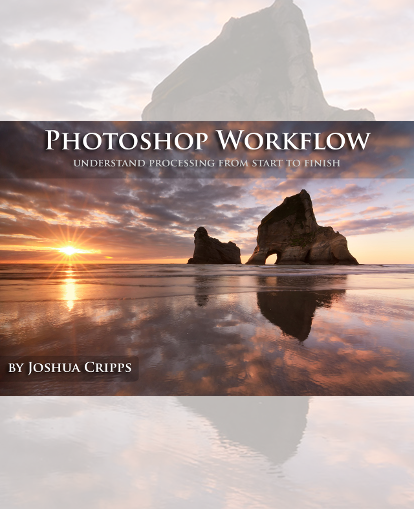
That is why I want to tell you about the Photoshop Workflow Video Tutorial.
It consists of the most comprehensive, user-friendly, post processing techniques known today.
You can purchase each tutorial individually for 19$ each, but under this special offer, you get all the four tutorials for $29. A direct 60% off [/vc_column_text][/vc_column][/vc_row][vc_row font_color=”#000000″ css=”.vc_custom_1490250281324{background-color: #ffffff !important;}”][vc_column][vc_column_text css=”.vc_custom_1490249293492{padding-top: 3% !important;padding-right: 12% !important;padding-bottom: 5% !important;padding-left: 12% !important;}”]
In the bundle, you will find four landscape specific video tutorials and step by step demo-editing exercises using complimentary photos.
[/vc_column_text][vc_single_image image=”413202″ alignment=”center” css=”.vc_custom_1490250524335{padding-right: 20% !important;padding-left: 20% !important;}”][vc_column_text css=”.vc_custom_1490250544985{padding-top: 5% !important;padding-right: 12% !important;padding-bottom: 3% !important;padding-left: 12% !important;}”]
Skills You’ll Gain
[/vc_column_text][vc_single_image image=”413207″ alignment=”center”][vc_single_image image=”413206″ alignment=”center”][vc_single_image image=”413205″ alignment=”center”][vc_single_image image=”413204″ alignment=”center”][/vc_column][/vc_row][vc_row font_color=”#000000″ css=”.vc_custom_1490250592719{background-color: #000000 !important;}”][vc_column][vc_custom_heading text=”Know More About Each Tutorial” font_container=”tag:h2|text_align:center|color:%23ffffff” use_theme_fonts=”yes” css=”.vc_custom_1490250569031{padding-top: 4% !important;padding-right: 12% !important;padding-bottom: 4% !important;padding-left: 12% !important;}”][/vc_column][/vc_row][vc_row font_color=”#000000″][vc_column][vc_row_inner css=”.vc_custom_1490251185929{padding-top: 5% !important;}”][vc_column_inner width=”1/2″][vc_column_text css=”.vc_custom_1583407611443{padding-left: 8% !important;}”]
Frozen
29 minutes of in-depth Photoshop tutorial content in two chapters:
- Part 1: Complete Raw Processing
- Part 2: Complete Photoshop Processing
You’ll learn to –
- Execute professional grade processing photoshop workflow; from raw file to final photo
- Utilize raw processing, including exposure and white balance adjustments
- Use lens corrections, the tone curve and camera raw preset.
- Increasing color and tonal separation.
- Employ Curves to improve and separate color.
- Use quick and easy exposure blending.
[/vc_column_text][/vc_column_inner][vc_column_inner width=”1/2″][vc_single_image image=”413003″ alignment=”center” css=”.vc_custom_1490251171509{padding-top: 10% !important;padding-right: 8% !important;}”][/vc_column_inner][/vc_row_inner][vc_single_image image=”413004″ alignment=”center” css=”.vc_custom_1490251051688{padding-top: 2% !important;padding-bottom: 2% !important;}”][/vc_column][/vc_row][vc_row font_color=”#000000″ css=”.vc_custom_1490251261296{padding-top: 5% !important;background-color: #f7f7f9 !important;}”][vc_column][vc_row_inner][vc_column_inner width=”1/2″][vc_single_image image=”413005″ alignment=”center” css=”.vc_custom_1490253110351{padding-top: 5% !important;padding-left: 10% !important;}”][/vc_column_inner][vc_column_inner width=”1/2″][vc_column_text]
Solitude
This 48 minutes of the in-depth tutorial will teach you how to create a beautiful night composite photograph of a starry sky, using image blending. Additionally, it will teach you how to:
- Execute professional grade processing photoshop workflow; from raw file to final photo
- Combine three separate photos to create one composite using a simple technique
- Employ effortless techniques for blending in luminous objects
- Create intricate selections to mask in a specifical sky setting
- Apply easy edge and selection clean up techniques
- Match color and contrast across multiple exposures for seamless compositing
[/vc_column_text][/vc_column_inner][/vc_row_inner][vc_single_image image=”413006″ alignment=”center” css=”.vc_custom_1490253146885{padding-top: 5% !important;padding-right: 10% !important;padding-bottom: 5% !important;padding-left: 10% !important;}”][/vc_column][/vc_row][vc_row font_color=”#000000″][vc_column][vc_row_inner css=”.vc_custom_1490251185929{padding-top: 5% !important;}”][vc_column_inner width=”1/2″][vc_column_text css=”.vc_custom_1490259756742{padding-left: 8% !important;}”]
A Beautiful Day
This 70-minute tutorial will teach you how to develop your vision while editing and how to use the tools in Photoshop to achieve that vision in the final image.
You’ll learn to –
- Utilize in-depth raw processing, including exposure and color correction
- Employ dodging and burning to direct your viewer’s attention
- Implement dodging while maintaining color and preventing a washed-out aesthetic
- Brighten dark areas of the photo selectively
- Use symmetry, balance, flow, and vision to your photographs.
- Operate your keyboard in a professional and time-saving manner.
[/vc_column_text][/vc_column_inner][vc_column_inner width=”1/2″][vc_single_image image=”413007″ alignment=”center” css=”.vc_custom_1490253364904{padding-top: 10% !important;padding-right: 8% !important;}”][/vc_column_inner][/vc_row_inner][vc_single_image image=”413008″ alignment=”center” css=”.vc_custom_1490254575255{padding-top: 2% !important;padding-right: 10% !important;padding-bottom: 2% !important;padding-left: 10% !important;}”][/vc_column][/vc_row][vc_row font_color=”#000000″ css=”.vc_custom_1490251261296{padding-top: 5% !important;background-color: #f7f7f9 !important;}”][vc_column][vc_row_inner][vc_column_inner width=”1/2″][vc_single_image image=”413009″ alignment=”center” css=”.vc_custom_1490254010082{padding-top: 5% !important;padding-left: 10% !important;}”][/vc_column_inner][vc_column_inner width=”1/2″][vc_column_text]
Lyell Twilight
In this 45 minutes tutorial, you learn a typical photoshop workflow used by a professional landscape photographer.
You’ll learn –
- Execute professional grade processing workflow from raw file to final photo
- Utilize In-depth raw processing
- Edit exposure and color correction
- Apply dodging and burning
- Direct your viewer’s attention
- Saturate your photographs with natural colors and highlights
- Add color and dramatic contrast to skies
- Apply luminosity masks for selective, surgical, adjustments
[/vc_column_text][/vc_column_inner][/vc_row_inner][vc_single_image image=”413217″ alignment=”center” css=”.vc_custom_1490254421674{padding-top: 5% !important;padding-right: 10% !important;padding-bottom: 5% !important;padding-left: 10% !important;}”][/vc_column][/vc_row][vc_row][vc_column][vc_separator border_width=”2″][/vc_column][/vc_row][vc_row font_color=”#000000″ css=”.vc_custom_1474978205437{padding-top: 1% !important;padding-bottom: 3% !important;}”][vc_column][vc_column_text css=”.vc_custom_1490261021157{padding-top: 3% !important;padding-right: 23% !important;padding-bottom: 2% !important;padding-left: 25% !important;}”]
What Others Are Saying
[/vc_column_text][vc_column_text css=”.vc_custom_1490260925241{padding-top: 3% !important;padding-right: 10% !important;padding-bottom: 5% !important;padding-left: 10% !important;}”]
Joshua, I love that your tutorials are not only fantastic technical advice but are actually aimed at encouraging the artist in each of us. – Stephen J.
Your teaching style is great ..made me laugh ? very easy to understand too ?thx – Beatrice D.
You are simply amazing. Very easy to understand every one of your videos, thank you! – Shannon C.
This video is pure gold, even for skilled people. – Alessio M.
Finally an amazing tutorial, great job mate, keep it up! And thanks ? – Zaeem K.
This video is really awesome! We do find tons of videos which only tells us theory. However, very few which gives a practical approach to it, with actual photographs. – Hemal K.
[/vc_column_text][/vc_column][/vc_row][vc_row font_color=”” css=”.vc_custom_1490251244723{padding-top: 10% !important;padding-bottom: 10% !important;background-color: #f7f7f9 !important;}”][vc_column][vc_column_text]
Dare to be better at techniques & bring out the best in your photos
Don’t waste another moment, your next adventure awaits.
[/vc_column_text][vc_column_text][add_to_cart_or_expire_btn][/vc_column_text][/vc_column][/vc_row]

Reviews
There are no reviews yet.