




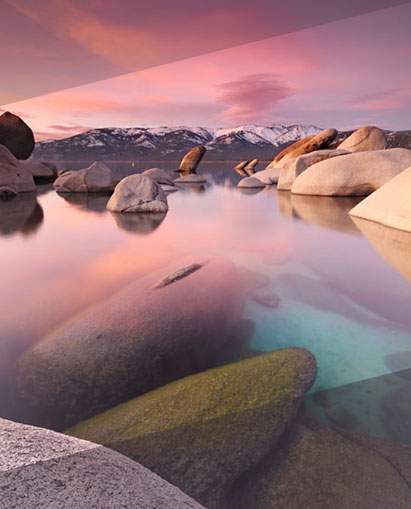




Are you a Landscape Photographer? Do you want more control in how your landscapes look?
A landscaper photographer’s needs are simple. A good view. A good camera. A good tripod. And a good filter. But sometimes your best landscapes just don’t happen. You’ll have to open Photoshop to make your sunsets and sunrises, skylines and seashores, as beautiful as possible.
Yes, the technology can be hard at first, but learning to use Photoshop landscape just as well as you use The Photographer’s Ephemeris — that’s what this is about. With just the right amount of Photoshop education, you’ll get your landscapes looking professional and stunning. Not over-processed and fake.
With Photoshop Landscape Photographers I & II, you’ll learn how to navigate the program, easily control the maze of menu options, and begin to use its most essential tools. After that, you’ll graduate to using the true power of Photoshop: editing with layers and masks.
At the end, you’ll be able to make composites – for improved dynamic range – edit your images with curves and selectively improve with layers. Not bad for only 2 hours.

Photoshop Landscape Photographer I – The Basics
The funny thing about Photoshop is that even its most basic tools really aren’t that basic. They’re still powerful and unfortunately still require a little experience to get right. This course is the start to mastering them.
For instance, do you know how to perfectly erase a dust spot, or hair? Without making it look fake or artificial? If you do, move on to the next course just below. If you don’t, then keep reading.
These tools are the ones that will make you go, Oh that’s how they do it. They are building blocks to professional, artistic landscapes.
You’ll get an hour to learning how to use Brightness/Contrast controls, Level and Curves adjustments, adding and balancing color, making selections for refined adjustments, and cleaning up any eye-sores.
But, as the old cliché goes, this is just the beginning for a Landscape Photographer.
Watch a sample video below

Photoshop Landscape Photographers II – The comprehensive guide to layers and masks
No matter how great Photoshop is, a bad photograph will always be a bad photograph. But a good one can always get better – even if it’s just a slight, almost tediously refined, precisely advanced tweak.
As a Landscape Photogapher this course is about learning how to make those kinds of tweaks. You’ll learn how to use layers and masks for impeccably accurate editing – not the blanket sort of adjustment.
Within 70 minutes, you’ll learn to make composites with multiple photos (for those sunrises and sunsets!), mask adjustments, and complete your workflow with non-destructive editing.
You’ll learn to make landscapes that stun as much as anything that Ansel Adams could muster.

So what’s all included in this video?
- 2+ hours of Photoshop education for landscape photography
- Comprehensive and entry-level lessons fit for beginning or immediate-to-advanced users
- Understand how to improve your dynamic ranges with multiple images by using layers and masks
- Images to edit alongside the instruction
- Necessary knowledge to help any landscape photographer finally “get” Photoshop

Reviews
There are no reviews yet.