




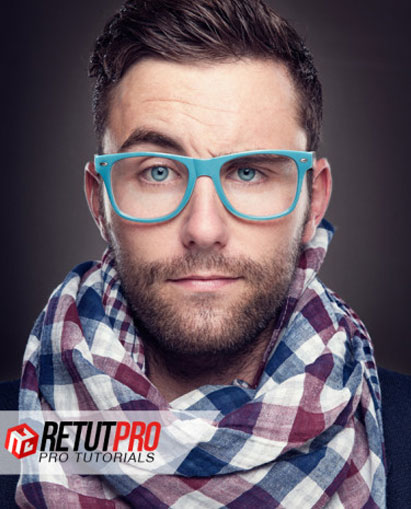



Sloppy Photoshop retouching never creates flawless portraits. If you truly want flawless portraits, you’ll need to learn serious retouching techniques with this portrait retouching guide.

Retouching is tough work. If you’re serious about photography, you already know that nearly every great image takes a long journey from RAW import to final edit. That’s why your approach to retouching matters so much. You only fix what you choose to see. And you always want your portraits as beautiful as possible, right?
Serious work for your portraits simply makes them better. Whether capturing the most authentic expression, or revealing the most unique personality, all the greatest portraits were given as much attention as possible. The most illuminating ones – the magazine-cover quality ones – are nearly flawless.
And every magazine you’ve ever read uses only the most rigorous retouching approach. They fix flaws other photographers are too lazy to see. And if you already force yourself to shoot with only the most careful hand, you know you want a retouching workflow that forces the same.
With Portrait Retouching I&II, you’ll learn a precise and complete approach to finding and fixing all the flaws that keep your portraits from achieving their best looks. You’ll learn to retouch as completely and precisely as Manni from RetutPro does. You’ll enhance your very best. And fix your very worst.
With over 3+ hours, you’ll get 19 lessons about learning how to create and control how light feels and looks. Learn how to retouch eyes, skin, and hair, while understanding how to work with imported textures, advanced masks, and composites. Adjustment layer by adjustment layer, you’ll learn what serious work means.
Bonus: You’ll also get 120 royalty-free texture files to use in Photoshop. 21+ Mega Pixel, 4032 x 6048, 300 dpi files free to use whenever you want. See them below!
Portrait Retouching I & II

The Photographer & The Funky Portrait
Let’s start with what’s packaged in these courses because unlike any retouching course we’ve offered, this one comes with a two lesson bootcamp on setting up a 6 strobe shoot. It’s a nifty tutorial about understanding where to place your lights and how to work with them.
After that two lesson introduction into how the test image was made, you’ll get 17 lessons on retouching portraits into a magazine cover quality. You’ll see Manni work from the very beginning import and RAW conversion all the way to his final and last edit.

You’ll learn Manni’s approach to many of the trickiest parts of retouching a portrait. The types of issues that may have discouraged you before. You’ll learn how to retouch eyes. Learn how to use the pen and stamp tools to master cut-outs and remove unwanted objects. Learn to merge textures to your background.
And if you like his images, then you already know Manni always gives the maximum amount of effort. He’s one of the best retouching teachers around. And after these videos, you’ll be able to use the same tools with the same amount of proficiency as does.
BONUS: 120 Royalty Free Texture Files Included in this Course
Along with these tutorials, you’re going to get some bonus textures that are going to come in handy when you shoot portraits.

What’s the fine print?
- 19 HD quality videos, over 3+ hours about learning how to retouch portraits
- PSDs/RAW files included to work alongside Manni
- Learn immediate, advanced, and super-advanced Photoshop techniques to masking & merging, fixing & correcting light, skin & eye retouching, and working with textures
- BONUS – 120 Royalty-free textures 300 dpi files to use whenever you want with this portrait retouching guide.

Reviews
There are no reviews yet.