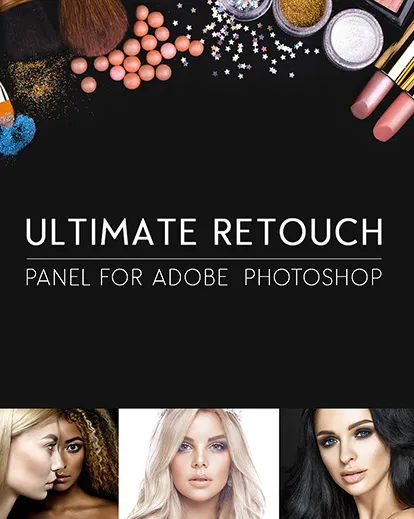
Beauty Retouching Panel For Flawless Images
Many tricks with lighting and camera angle can help, but nothing is quite as effective in modern times as skin retouching in Photoshop.
Blemishes. Wrinkles. Awkward folds in your subject’s clothing. They can all disappear with just a few clicks.
Of course, this scratches the surface of all that skin retouching can do.
It’s not just for removing blemishes. You can also use it to add photographic lustre to objects like clothing and jewellery.
The technique of skin retouching and skin smoothing in Photoshop has continued to be refined over the years as more tools and technology have become available.
There are many Photoshop face retouching tools available in the market.
Photographers with the most up-to-date skin retouching techniques have an edge over the competition. The most tremendous success is reserved for those who can effortlessly add skin retouching to their workflow.
Their repertoire includes several methods, including frequency separation, visual texture boost, and dual vision.
They can go beyond the basics of colour correction to create truly unique photos. They have tools for effectively using highlights and shadows, giving skin a tan hue, and altering skin pigmentation.
They are masters of curves and vignettes. Would you want to be one of them?
Well, you can also master the fine art of skin retouching.
Amazing Skin Retouch Features Of This Tool
The Ultimate Retouch Panel for Adobe Photoshop Is All You Need
General Features Of This Beauty Retouching Panel
- Compatible with Adobe Photoshop CS6, CC2014 – CC2023+
Support OS: Mac (only INTEL) & Windows - 200 Functions
- 7 Unique blocks for retouching
- 3 Fast retouch methods
- 8 & 16 Bits for frequency separation
- 65 Color presets
- 20 Custom buttons for creating personalized actions
- Immediate visual texture boost switching
- 4 Methods of dodge & burn
- 3 Help layers for capturing flaws and irregularities
- Dual vision for easy managing of dodge & burn
- Functionality with RGB channels and masks
Tools For Local Retouching
- HDR kit for HDR effect simulation
- Highlights & shadows restore
- Volume HRLA
- Manual HRLA
- Tan skin
- Remove pores
- Skin-tone gradient map
- Skin pigment & multi tint effect
- Noise texture & manual noise texture
- Iris enhancer & 10 in 1 multifunctional eyes tool
- White teeth
- 5 in 1 multifunctional face lips tool
- Local and global high pass sharpen
- Dynamic opacity and vignette
Curve Types
- Contrast
- Matte
- 3 Points
- 4 Points
Vignette Types Included In Beauty Retouching Panel
- Black
- White
- Coloured
- High pass sharpness
- Local high pass sharpness
- Multi sharpness
- The ability to sharpen skin edges without touching the skin itself
Also Included
- A 26-page PDF instruction manual, including a complete and detailed description of how to use the panel
- A detailed PDF installation guide providing links to a tutorial video
- A video tutorial PDF guide featuring 18 links to tutorial video
- The ultimate retouch ZXP file
- Panel retouching tools ZXP file
- Panel blend it ZXP file
- A visual map of the retouching process in JPEG and TXT format
Color Correction Styles
- Fashion
- Vintage
- Candy
- Matte
- HDR
- Black and white
- The ability to mix styles
A Glimpse Of The Features Of This Beauty Panel
Before/After Results Using This Panel For Skin Retouching In Photoshop
Make Your Models Flawless In A Few Clicks With This Tool
Finally, you can take advantage of all the advantages Photoshop can give you when you use skin retouching. And you can grab them all in one convenient package.
The Ultimate Retouch Panel puts a variety of methods and tools at your fingertips, allowing you to experiment with techniques you could only imagine before.
The entire process is so simple that it will quickly become an effortless part of your photo editing workflow.
Photoshop’s ultimate beauty retouching panel will teach you to master the two most popular photo retouching techniques: Frequency Separation and Dodge and burn.
To work on them separately, you only have to separate the image into two frequencies: volume and texture. Alternatively, you can simply “dodge and burn” skin imperfections directly over the alternate image.
These skin retouching Photoshop tools are compatible with almost any version of Photoshop. They can be used in any language and on Mac and Windows devices.
If you encounter any problems, technical support is readily available via email or Team Viewer.
Best of all, this deal is available for a limited time at just $29. That’s an astounding $60 discount from our regular sale price of $99. Needless to say, this opportunity doesn’t come around every day.
Check out more photo retouching resources


Nic –
Actually really useful!
Bob Cassey –
Brilliant video. So much to learn about a such a complex subject. Great practice though.
breakeym –
Just starting but I can see where it will speed up my workflow
Julian Trebenda –
Master For Skin Retouching In Photoshop
[email protected] –
The panel is very useful and practical.
Mathu –
Great!!!