







[vc_row font_color=”#ffffff” css=”.vc_custom_1464759897354{padding-top: 17% !important;padding-right: 10% !important;padding-bottom: 17% !important;padding-left: 10% !important;background-image: url(https://abz.photowhoa.com/wp-content/uploads/2016/06/split-tone-color-editing.jpg?id=357035) !important;background-position: center !important;background-repeat: no-repeat !important;background-size: cover !important;}” background_style=”parallax”][vc_column font_color=”#ffffff” css=”.vc_custom_1414497512096{padding-right: 0px !important;padding-left: 0px !important;}”][vc_row_inner][vc_column_inner][vc_column_text css=”.vc_custom_1464760706625{margin-bottom: 0px !important;}”]
Do you think adjusting white balance is your only option?
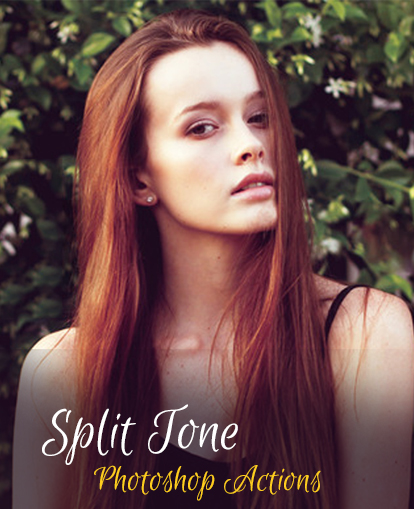
With split-toning, you can add color to highlights & shadows independently
[/vc_column_text][/vc_column_inner][/vc_row_inner][/vc_column][/vc_row][vc_row font_color=”#000000″ columns_height=”adjust_cols_height” css=”.vc_custom_1440461576782{background-position: center !important;background-repeat: no-repeat !important;background-size: cover !important;}” background_style=”normal”][vc_column width=”1/2″ css=”.vc_custom_1464758357597{padding-top: 10% !important;}”][vc_column_text css=”.vc_custom_1464869811502{margin-top: -30px !important;margin-bottom: 0px !important;padding-top: 10% !important;padding-right: 10% !important;padding-bottom: 10% !important;padding-left: 10% !important;}”]
Here are immediate shortcuts to a range of mood-defining color tones
Bleach away the color red in a picture of red lipstick and what do you get? Just lipstick. Boring. No need to open a book on color theory to know that color changes the overall mood of your photos. Think clinical blues. Warm summer reds.
But few photographers actually understand color enough to channel its emotional power. It’s an under-appreciated skill, a rare talent. It takes more than seeing color. It’s understanding how color works to describe a feeling.
So if you want to transform the mood of your photograph using color, what would you do? Yeah, you can tweak white balance, but what if you want to keep whites looking natural and add a tint of blue to your blacks? Tweaking white balance isn’t enough.[/vc_column_text][/vc_column][vc_column width=”1/2″ css=”.vc_custom_1464758325807{padding-top: 50% !important;padding-right: 0px !important;padding-left: 0px !important;background-image: url(https://abz.photowhoa.com/wp-content/uploads/2016/06/5.jpg?id=357032) !important;background-position: center !important;background-repeat: no-repeat !important;background-size: cover !important;}”][vc_column_text]
[/vc_column_text][/vc_column][/vc_row][vc_row font_color=”#000000″ columns_height=”adjust_cols_height” css=”.vc_custom_1440461576782{background-position: center !important;background-repeat: no-repeat !important;background-size: cover !important;}” background_style=”normal”][vc_column width=”1/2″ css=”.vc_custom_1464758465601{padding-top: 80% !important;padding-right: 0px !important;padding-left: 0px !important;background-image: url(https://abz.photowhoa.com/wp-content/uploads/2016/06/4.jpg?id=357033) !important;background-position: center !important;background-repeat: no-repeat !important;background-size: cover !important;}”][vc_column_text]
[/vc_column_text][/vc_column][vc_column width=”1/2″ css=”.vc_custom_1440461247801{padding-top: 10% !important;}”][vc_column_text css=”.vc_custom_1464869830853{margin-top: -30px !important;margin-bottom: 0px !important;padding-top: 10% !important;padding-right: 10% !important;padding-bottom: 10% !important;padding-left: 10% !important;}”]
Split tone processing allows you to transform the color of both your highlights and your shadows.
It gives you more control and better options. You’ll be able to keep your whites tint-free while adding a dash of color to everything else.
Most of the time, you can open up Lightroom or Photoshop and do it yourself, but we found an awesome collection of actions that will do most of the legwork for you. Fully customizable, each action transforms your colors in a split tone process — all in one click.
You’ll get 100 actions that cover a diverse range of color schemes. Ones that add a burgundy hue to your blacks, for example. And others that punch up and increase the vibrancy throughout. While others subdue both your highlights and shadows to a cool aqua blue.
But our actions bundles go fast. So why wait? If you’re looking for immediate short-cuts to mood-defining color, you’ll get what you want right here![/vc_column_text][/vc_column][/vc_row][vc_row font_color=”#ffffff” css=”.vc_custom_1443511644697{padding-bottom: 5% !important;background-color: #020202 !important;background-position: center !important;background-repeat: no-repeat !important;background-size: cover !important;}” background_style=”normal”][vc_column css=”.vc_custom_1440461247801{padding-top: 10% !important;}”][vc_column_text css=”.vc_custom_1464758742616{margin-bottom: 0px !important;padding-top: 10% !important;padding-right: 10% !important;padding-left: 10% !important;}”]
Want to transform the mood of your photograph instantly?
[/vc_column_text][vc_column_text css=”.vc_custom_1464760827428{padding-top: 5% !important;padding-right: 5% !important;padding-bottom: 5% !important;padding-left: 5% !important;}”]These 100 actions were developed to help you split tone process your photographs. You’ll get actions that work with color on a two-front approach, enhancing the color of your highlights and shadows independently.
All the settings can be tweaked to your own preference. Since they’re fully customizable, you’ll get immediate short-cuts to eye-catching and visually stunning color. If you’re looking to gain more control over color temperatures, these actions will give you that power.[/vc_column_text][/vc_column][/vc_row][vc_row font_color=”#000000″ css=”.vc_custom_1443512340751{padding-top: 5% !important;padding-right: 5% !important;padding-bottom: 5% !important;padding-left: 5% !important;}”][vc_column][vc_column_text css=”.vc_custom_1464755492136{padding-top: 0% !important;padding-bottom: 5% !important;}”]
Look below for examples of what you’ll get
[/vc_column_text][vc_row_inner][vc_column_inner width=”1/2″][vc_single_image image=”357024″][/vc_column_inner][vc_column_inner width=”1/2″][vc_single_image image=”357025″][/vc_column_inner][/vc_row_inner][vc_row_inner][vc_column_inner width=”1/2″][vc_single_image image=”357026″ css=”.vc_custom_1464756700557{padding-top: 20px !important;}”][/vc_column_inner][vc_column_inner width=”1/2″][vc_single_image image=”357027″ css=”.vc_custom_1464756716559{padding-top: 20px !important;}”][/vc_column_inner][/vc_row_inner][vc_row_inner][vc_column_inner width=”1/2″][vc_single_image image=”357028″ css=”.vc_custom_1464757544526{padding-top: 20px !important;}”][/vc_column_inner][vc_column_inner width=”1/2″][vc_single_image image=”357029″ css=”.vc_custom_1464758007578{padding-top: 20px !important;}”][/vc_column_inner][/vc_row_inner][vc_row_inner][vc_column_inner width=”1/2″][vc_single_image image=”357030″ css=”.vc_custom_1464758122110{padding-top: 20px !important;}”][/vc_column_inner][vc_column_inner width=”1/2″][vc_single_image image=”357031″ css=”.vc_custom_1464758197247{padding-top: 20px !important;}”][/vc_column_inner][/vc_row_inner][/vc_column][/vc_row][vc_row font_color=”” css=”.vc_custom_1440465985813{padding-top: 10% !important;padding-bottom: 10% !important;background-color: #f7f7f9 !important;}”][vc_column][vc_column_text css=”.vc_custom_1464761294934{padding-right: 5% !important;padding-bottom: 5% !important;padding-left: 5% !important;}”]
Do you want more control over your photo’s visual impact?
Split tone processing doubles your control over color. Channel its power. Buy these actions!
[/vc_column_text][vc_column_text]
[/vc_column_text][/vc_column][/vc_row]

Reviews
There are no reviews yet.