




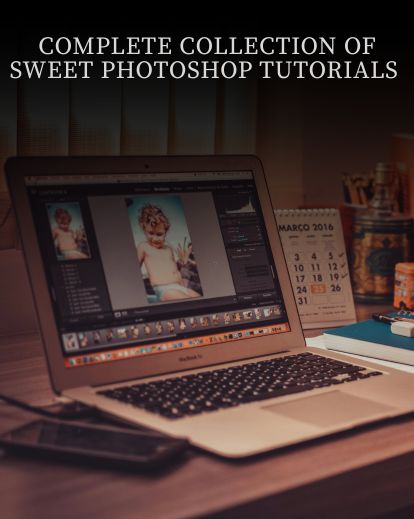



Learning Photoshop has never been this sweet
You took a great photo. Now let’s take it to the next level with these Photoshop Tutorials
It can be an extremely daunting program. I’ve been using it since age 14, and to this day I’m still learning new things all the time.
But I wish that I had a good resource to learn from. Back in the day I just spent hours playing around and fiddling with different options. A lot of my portraits ended up looking horrendous (like this portrait of my dad).
This set of 37 tutorials from Sweet Photoshop Tutorials will help you quickly add new techniques to your workflow while giving you a library of great instruction to reference over and over again.

Have you ever wondered the following?
- How did that photographer get such good color tones?
- How do I get rid of unsightly blemishes or weird blotchy skin?
- I don’t like the red in this image. How can I change it to blue (or green, or yellow)?
- There’s an ugly thing in the back of this image. How can I get rid of it?
- I want to make this photo look like it’s an old film photograph. How do I create that awesome vintage look?
These questions and many more are answered in these tutorial videos. In fact, so many topics are discussed in these tutorials that you’ll probably find yourself referencing the videos for years to come.
 If you’re a portrait or wedding photographer, this is the set of tutorials to get. Bodie, the creator of the tutorials, mostly applies his techniques to portrait and wedding photos.
The great part about these tutorials is that you’ll be able to use the techniques immediately. You don’t have to watch a 6 hour video before you can start doing stuff. You get 37 different videos with each video covering a specific topic. Each video only lasts about 3-10 minutes.
So that means if you have an image where your subject has some reddish skin areas, you can watch the appropriate tutorial video in 4 minutes and learn how to fix her skin immediately. Below is an example of the before/after retouch you’ll see done right before your eyes.
 You’ll get all 37 tutorials created by the team over at Sweet Photoshop Tutorials. These tutorials are aimed towards the beginning to intermediate retoucher, so even if you have no experience with Photoshop you’ll be able to absorb the information easily.Below is only a sample of the tutorials you’re getting in this package. In total you’ll get 37 different tutorials that will teach you everything you need to know about Photoshop.

Ugly skin is no bueno. You’ll learn three different methods for skin softening. Use the one that you like the best.

Exposing for the wedding dress can be a tricky process because it’s so white and bright. Here’s a strategy that can help.

Who doesn’t like old-school looks? Vintage is in. Learn how to achieve a great black and white with the vintage flair.

Camera Raw is one of the most important tools inside Photoshop. Take an in-depth look at the Adjustment Brush and the Graduated Filter in Camera Raw.

The eyes are one of the most important aspects of your photo. Put some soul into your images by enhancing the color and depth of the eyes.
Here’s the complete list of tutorials.
Note: Tutorials are created with CS5, but most everything is applicable for CS3 and above.
What are people saying about these sweet photoshop tutorials?


Reviews
There are no reviews yet.