







[vc_row font_color=”#ffffff” css=”.vc_custom_1448448025385{padding-top: 17% !important;padding-right: 10% !important;padding-bottom: 17% !important;padding-left: 10% !important;background-image: url(https://abz.photowhoa.com/wp-content/uploads/2015/11/Part-2-3.jpg?id=305518) !important;background-position: center !important;background-repeat: no-repeat !important;background-size: cover !important;}” background_style=”parallax”][vc_column font_color=”#ffffff” css=”.vc_custom_1414497512096{padding-right: 0px !important;padding-left: 0px !important;}”][vc_row_inner][vc_column_inner][vc_column_text css=”.vc_custom_1448446582577{margin-bottom: 0px !important;}”]
Nothing improves a photo like a good edit
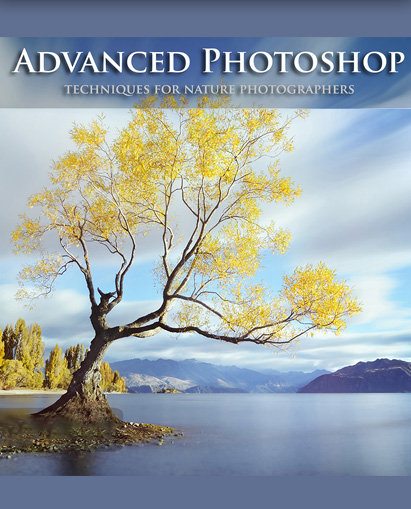
Polish your techniques for landscape using Photoshop
[/vc_column_text][/vc_column_inner][/vc_row_inner][vc_row_inner][vc_column_inner]
[/vc_column_inner][/vc_row_inner][/vc_column][/vc_row][vc_row][vc_column][vc_column_text css=”.vc_custom_1448518037933{padding-top: 40px !important;}”]
Like it or not, landscapes are perfected in the digital darkroom . . .
[/vc_column_text][/vc_column][/vc_row][vc_row font_color=”#000000″][vc_column width=”1/2″][vc_column_text css=”.vc_custom_1448602542108{padding-top: 15px !important;padding-left: 15px !important;}”]And, to be honest, I haven’t completely mastered Photoshop yet either. I had gotten by with general, “newbie” techniques— you know, ones that you’re taught in school. Image resizing, layer adjustments, converting to black and white.
What I was taught was good enough. Seriously. Until I got a photo editing job that required me to learn more. Forced me to get intimate with Photoshop. Understand how to use precise, pixel-by-pixel techniques to improve every single area of a photo.[/vc_column_text][/vc_column][vc_column width=”1/2″][vc_single_image image=”305796″ css=”.vc_custom_1448517974336{padding-top: 20px !important;}”][/vc_column][/vc_row][vc_row][vc_column width=”1/2″][vc_single_image image=”305816″ css=”.vc_custom_1448533857276{padding-left: 15px !important;}”][/vc_column][vc_column width=”1/2″][vc_column_text]Those techniques for landscape, the professional work arounds, are what you’ll learn in Joshua Cripps’s Advanced Techniques for Landscape Photographers. But, unlike me, you won’t have to take a crash course in everything—you’ll get to focus on techniques for landscapes.
All so that you learn how to make crisp, stunning landscapes. Ones you’ve seen online or in a magazine, ones that you’ll now be able to create.[/vc_column_text][/vc_column][/vc_row][vc_row][vc_column css=”.vc_custom_1448533988327{padding-top: 40px !important;}”][vc_single_image image=”305641″ alignment=”center”][/vc_column][/vc_row][vc_row][vc_column][vc_column_text css=”.vc_custom_1448531625821{padding-right: 175px !important;padding-left: 175px !important;background-color: #ffffff !important;}”]
Creating Killer Selections
2+ hours. 7 lessons
The ability to selectively edit an image via layer masks lies at the center of Photoshop’s editing power. But masks are only as good as the selections used to create them.
If you’re not taking advantage of all the amazing selection tools in Photoshop’s arsenal, then your images aren’t going to be as beautiful as they should be.
In this course, you’ll learn how to take advantage of Photoshop’s capacities to actively and profoundly edit your photos.
[/vc_column_text][/vc_column][/vc_row][vc_row][vc_column][vc_single_image image=”305639″ alignment=”center”][/vc_column][/vc_row][vc_row][vc_column][vc_column_text css=”.vc_custom_1448531827686{padding-right: 175px !important;padding-left: 175px !important;}”]
Effortless Exposure Blending
90+ mins. 6 lessons
Despite recent advances in digital camera technology, it is still common to encounter natural scenes that present more dynamic range than the camera can capture.
And while graduated ND filters can help balance exposure in simple scenes, these filters can often be problematic when working in complex scenes. In these situations, it becomes necessary to rely on digital techniques to combine multiple exposures for maximum control over dynamic range.
In this course, you will learn techniques for landscape that help you effortlessly blend exposures to create seamless, mesmerizing, how-was-this-done landscapes.
[/vc_column_text][/vc_column][/vc_row][vc_row][vc_column][vc_separator][/vc_column][/vc_row][vc_row][vc_column][vc_column_text]
Here’s what everybody’s saying
[/vc_column_text][/vc_column][/vc_row][vc_row][vc_column width=”1/2″][vc_column_text css=”.vc_custom_1448533510541{padding-left: 25px !important;}”]You rock! Everything [about this] was awesome! The easy, simple and entertaining way of teaching made it super easy to understand. Within a few minutes of watching the tutorial I started practicing with my own images with impressive results. If your’re thinking about getting this, stop thinking and GET IT NOW! You won’t regret it.
Jose Zayas[/vc_column_text][/vc_column][vc_column width=”1/2″][vc_column_text css=”.vc_custom_1448533524567{padding-right: 25px !important;}”]I have watched all but the Adobe raw video and they are awesome. I love your teaching style! They are are helpful for me, simple to follow, and I needed to brush up on my shortcut skills so the fact that you use them and mention them numerous times helps me to remember them. Your videos are all awesome.
Anna H.[/vc_column_text][/vc_column][/vc_row][vc_row][vc_column][vc_separator][/vc_column][/vc_row][vc_row font_color=”#000000″ css=”.vc_custom_1448532215666{background-color: #ffffff !important;}”][vc_column width=”1/2″][vc_column_text css=”.vc_custom_1448532185127{padding-left: 25px !important;}”]What is included and why to buy?
3+ hours video tutorial, In that you’ll learn how to alter or replace entire sections of your image, use color channels to create detailed selections, blend exposures using layers, masks, gradients, brushes, and more.[/vc_column_text][/vc_column][vc_column width=”1/2″][vc_column_text]What you’ll learn:
- Creating Landscapes: How to make crisp, stunning landscapes.
- Creating Killer Selections: How to use Photoshop to edit your photos.
- Effortless Exposure Blending: Blend exposures to create seamless, mesmerizing, how-was-this-done landscapes.
[/vc_column_text][/vc_column][/vc_row][vc_row][vc_column][vc_column_text css=”.vc_custom_1448867025490{padding-left: 30px !important;}”]
What you will get
- With the purchase you get full download access to all the video files and photos to edit along with the lessons.
- You can keep the videos as long as you like.
- It’s 13 individual lessons and over 3 hours of instruction.
- check out the full details of the course on Joshua Cripps’s website
[/vc_column_text][/vc_column][/vc_row][vc_row font_color=”” css=”.vc_custom_1440465985813{padding-top: 10% !important;padding-bottom: 10% !important;background-color: #f7f7f9 !important;}”][vc_column][vc_column_text]
Want to deepen your understanding of Photoshop?
Learn how to use Photoshop to perfect your landscapes.
[/vc_column_text]
[/vc_column][/vc_row]

natsag –
The Advanced photoshop techniques for landscape phographers were good and useful for me. I think that most of photographer need more kind of video cources. Thanks for Joshua Cripps .
Amruta –
Thanks.. I am glad you liked it 🙂