




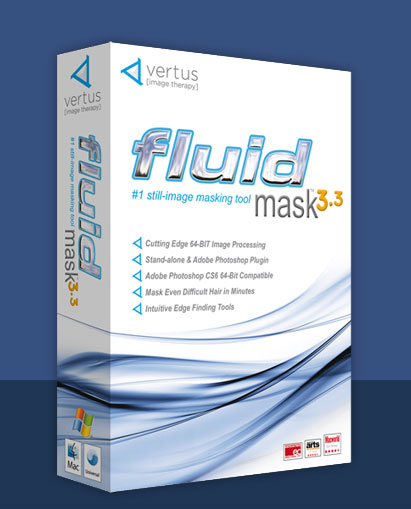



Who has time to fiddle around with masks in Photoshop? Do you want a Image Masking Software that cuts your time in half?

The bottom line is this. Time spent creating cut-outs is time wasted. It’s a non-creative task that keeps you beside your computer when you could be out shooting. And although no masking solution is perfect, the Fluid Mask 3 will dramatically cut down the time you spend extracting objects from your backgrounds.
It works because it’s specifically made for its task. Designed to scour all the nooks and crannies hiding in the edges, the Fluid Mask gives you more time to be creative. More time to do artistic finishes – not the manual labor. You won’t have to pore over each and every pixel. You’ll just have to fine-tune the ugly ones.
And if you’re thinking that this software is only for beginners or non-Photoshop users, well let’s rethink what it’s really important. It increases speed not complexity. Whether used alongside Photoshop or by itself, the Fluid Mask 3 is the smartest route to increasing your workflow efficiency.
You won’t have to limit your creativity because you’re worried about technical ability. You’ll have a tool that makes compositing as easy as it should be. It’s like choosing to shoot digital over film, neither is better, but only one is quicker. Fluid Mask 3 is just that. It’s the faster solution to the same need.
How does it work? How is it faster?
If you’ve ever created a mask in Photoshop, you know it’s tedious. Worse – it’s only a nuts-and-bolts process to getting your final image. If there’s something better and faster, why not take it? What makes the Fluid Mask special is that it integrates better edge finding algorithms with an intuitive user experience to make sure you’re getting cleaner extractions.
For example, if you wanted to remove a person from a non-contrasting background, all you’d have to do is import your image, analyze it’s image segmentation, find out what you want to keep, and paint away the background you don’t want. Fluid Mask 3 is about simplifying your workflow.
What can I do with this Image Masking Software? Which techniques get faster?

Fast Background Removal: If you’re a product photographer, you know background removal needs a quick and comprehensive workflow. Even if you’re not a product photographer, you know how annoying removing a background is in Photoshop. The Fluid Mask 3 makes this process considerably faster. In their studies, even 4x faster.

Easy Sky Swapping: Have you shot a beautiful landscape but hated the sky you captured. Whether you wanted a gorgeous sunset and clear-blue sky, anything is better than sky that’s drab and uninteresting. With the Fluid Mask, you’ll have a process to replacing eyesores with your own composited beauty.

Flawless Hair/Fur Masking: Masking hair is a task that separates the beginners from the obsessed. If you can successfully mask hair, under 30 mins, without any eye-squinting, then you’re obsessed. For the rest us, those who want hair masking without any mundane tweaking, and still get the same results, once again, let me introduce you to my friend, Fluid Mask the 3rd. Better results. With less time.
When masking and removing backgrounds become as easy as “painting by the numbers”, imagine how much more you’ll able to do with this Image Masking Software.
|
|
|

 Use the Color Workspace and the Color Sampler to make extremely fine color based mask selections.
 It understands the width and morphology of an edge. Intelligent blending gets the closest to extracting the true character of the image.
 Fluid Mask 3 includes complex blending tools for within a patch, to adjust the localized blending parameters to be different from the larger image. Combine multiple blending techniques on one image.
 Fluid Mask 3 contains an in place tip window to guide through the use of it’s tools. With handy pointers and guidance to help you along.

Tech Specs
Minimum System Requirements
Compatible with both Mac & Windows
- XGA (1024×768) 24-bit (millions of colours) display
- 512 MB RAM (1 GB recommended)
- 250 MB of available hard-disk space
- Web connection or email access for product activation
Mac
- PowerPC G4/G5 or Intel processor or better
- Mac OS X Tiger v10.4.11, Leopard v10.5.8, Snow Leopard v10.6.2, or later
Windows
- 1GHz processor
- Microsoft Windows XP Service Pack 3, Vista Service Pack 2, or later,Windows 7 & Windows 8
Fluid Mask 3 as a Photoshop plug-in
- Adobe Photoshop Elements, CS2, CS3, CS4 or CS5.
- Adobe Photoshop CS6 including x86 and x64
This is truly one of the best Image Masking Software we have ever come across.

Reviews
There are no reviews yet.